


Checking if your website pages are indexed by Google means verifying that Google’s robots (spiders) have crawled, understood, and stored your pages in their vast database. If a page isn’t indexed, it cannot appear in search results.
Google Search Console (Definitive Check)
Google Search Console (GSC) is the definitive tool for understanding your site’s health and index status directly from Google.
Step 1: Access the URL Inspection Tool

- Sign in to your Google Search Console account (if you don’t have one, you’ll need to set up and verify your domain first).
- Look for the URL inspection bar at the very top of the page.
- Paste the exact URL you want to check into the search bar (e.g., https://utds.io/home/) and press Enter.
Step 2: Review the Status
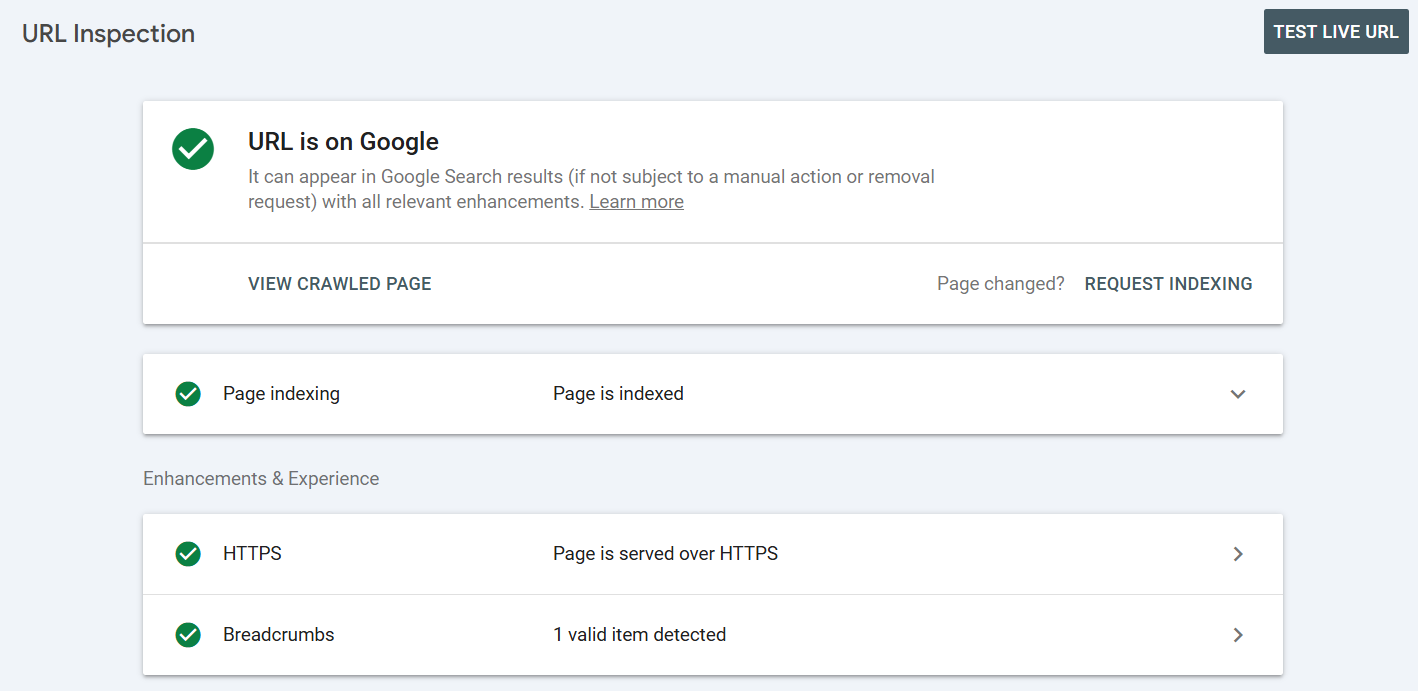
The inspection tool will show one of three key statuses:
Status Displayed | What it Means | Action Required |
URL is on Google | Success! The page is indexed and eligible to appear in search results. | None. |
URL is not on Google | Problem. The page is not indexed. GSC will provide the reason (e.g., “Crawled – currently not indexed” or “Blocked by robots.txt”). | Investigate the reason provided by GSC. |
URL is known to Google | The page has been crawled but is not yet indexed or is being purposefully excluded (e.g., duplicate content). | Review the details to see if action is needed. |
Step 3: Request Indexing
If the page is not on Google but passes the basic tests (mobile-friendly, no crawling issues), you can click the Request Indexing button in the GSC report to ask Google to prioritize crawling the page.
Our Advice (Common Indexing Problems)
1. Check Your Robots.txt File
- Note: The robots.txt file tells search engines which parts of your site they should not crawl. If the file is misconfigured, you might accidentally be blocking Google from your entire website.
- Fix: Check the file at yourwebsite.co.uk/robots.txt. Look for a line like Disallow: / which blocks the entire site.
2. Check for the NoIndex Tag
- Note: Every page has code in the <head> section. If you see the following tag, it means the page is telling Google not to index it:
<meta name=”robots” content=”noindex” /> - Fix: Remove this tag from the page’s HTML if you want the page to be indexed. This is a common error with CMS plugins.
3. Site Speed and Usability
- Advise: Google is less likely to crawl and index slow or poorly designed websites. Improving your Core Web Vitals (loading speed, interactivity) ensures Google’s crawlers can efficiently access and index your content.

 Salesforce

