


You set the budget for each campaign using the Average Daily Budget column directly on the main Campaigns page. This is the quickest way to allocate or adjust funds.
1. Setting/Editing an Individual Daily Budget
The Average Daily Budget is the standard way to control spending, allowing you to manage each campaign’s financial limit separately.
Step-by-Step Guide
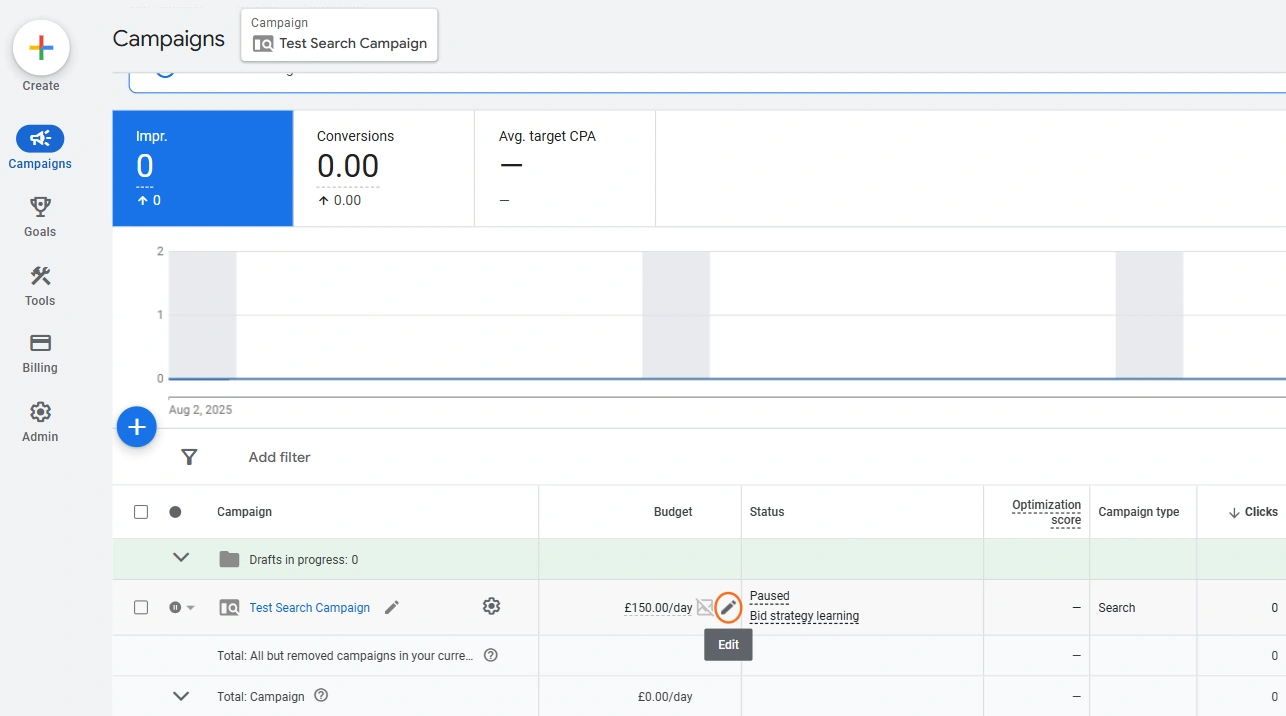
- Navigate to Campaigns: In your Google Ads account, click on Campaigns in the left-hand menu.
- Locate Budget: In the main table, look for the Budget column next to your campaign names.
- Edit Budget: Click the pencil icon next to the budget figure for the campaign you want to adjust.
- Enter New Value: In the pop-up box, enter the new Average Daily Budget amount (in £).
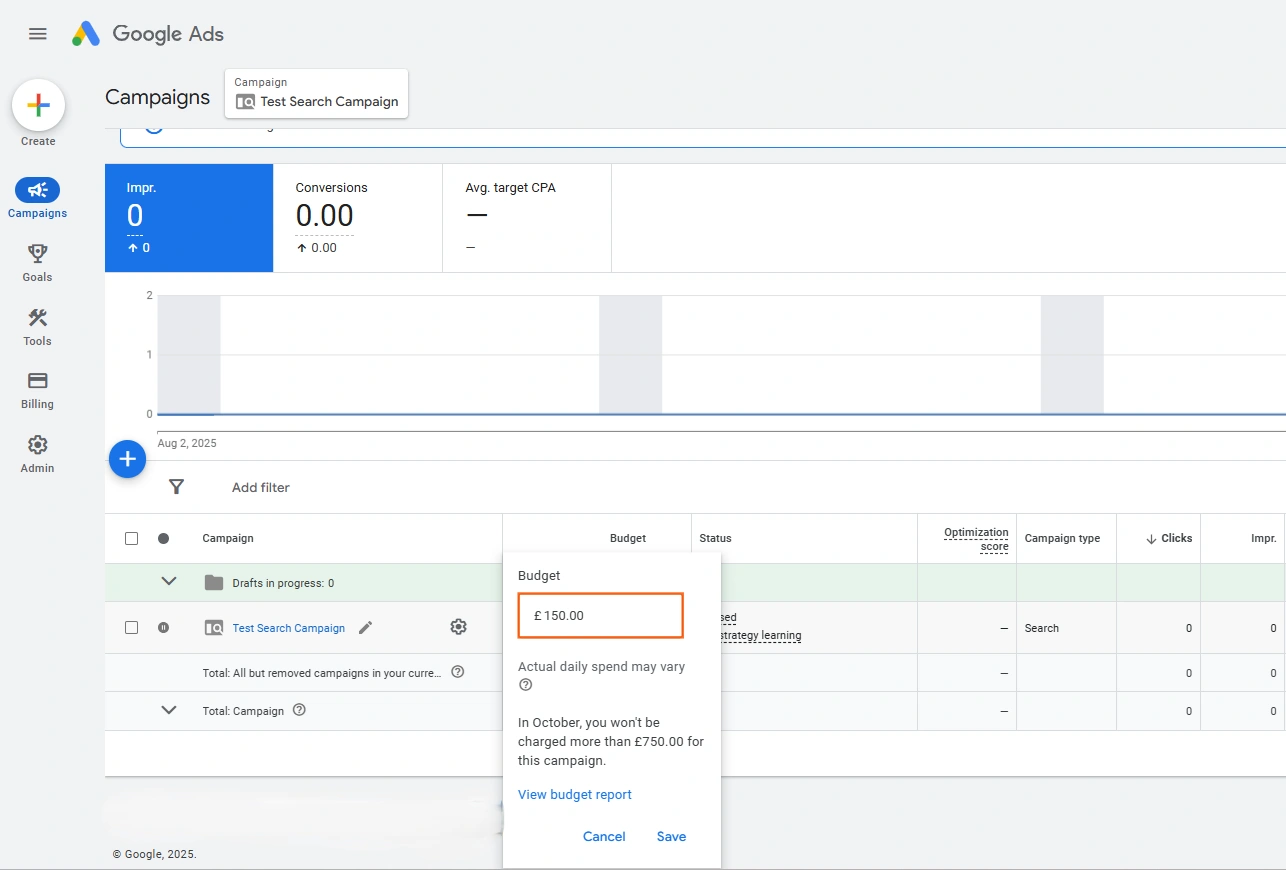
5. Save: Click Save.
Rules and Advice for Daily Budgets
Rule/Concept | Detail and Advice |
Monthly Limit (Stat) | Your total spend for any given calendar month will never exceed your daily budget multiplied by 30.4 (the average number of days in a month). |
Daily Spend Cap | Google can spend up to 2x your average daily budget on any single day (e.g., spending £100 if your budget is £50) if it detects high-intent search traffic likely to convert. |
Strategy | Opinion: Base your budget on achieving a conversion goal, not just an arbitrary amount. Use the Keyword Planner to estimate the number of clicks you can realistically get per day for your budget. |
Budgeting for Goals | Formula: Desired Monthly Conversions x Average CPA / 30.4 = Average Daily Budget |
2. Setting a Shared Budget (For Multiple Campaigns)
A Shared Budget allows multiple campaigns to draw funds from a single, larger pool. This is useful when several campaigns have similar goals (e.g., all your Search campaigns) and you want Google to automatically allocate more mone
Step-by-Step Guide
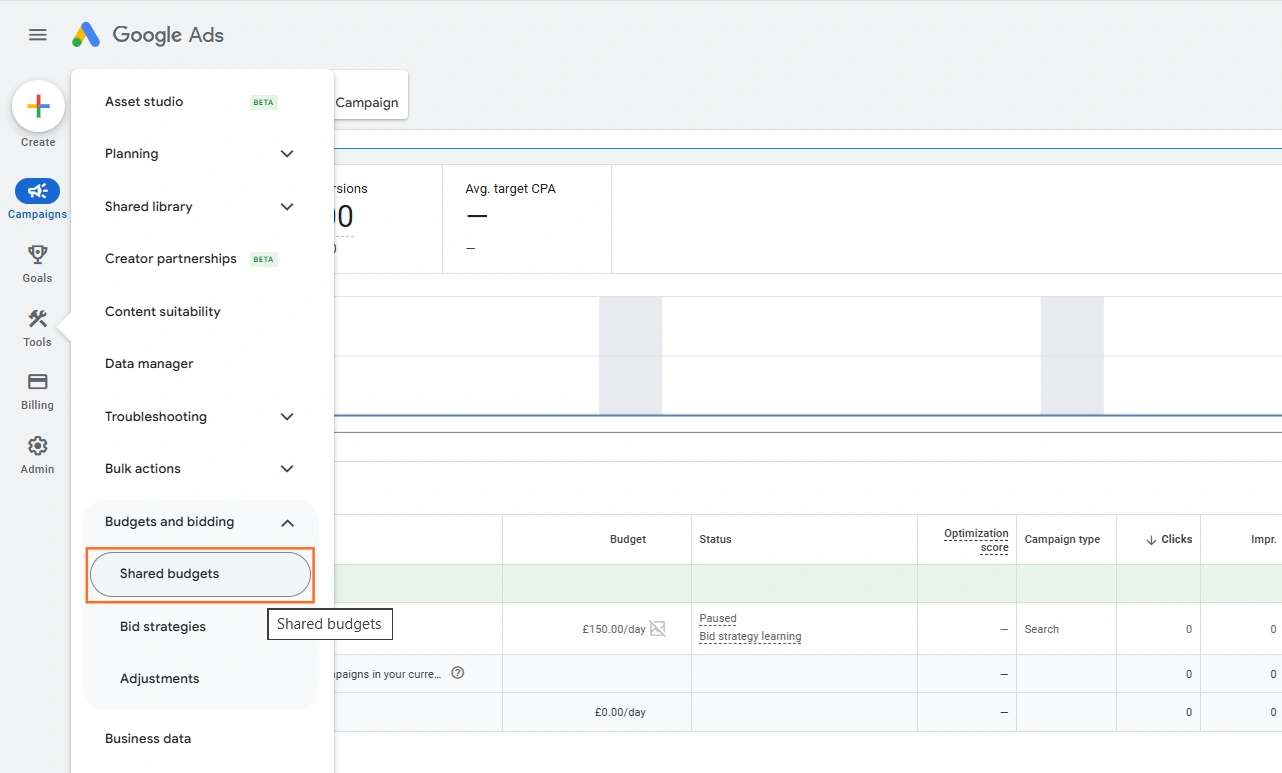
- Go to Shared Library: Click the Tools icon in the left side menu.
- Under Budgets and Bidding, click Shared budgets.
- Create New Budget: Click the button.
- Configure: Give the budget a Name (e.g., “All Search Campaigns”) and set the total Daily Budget amount (e.g., £150.00).
- Apply to Campaigns: Select the campaigns you want to include in this shared budget pool.
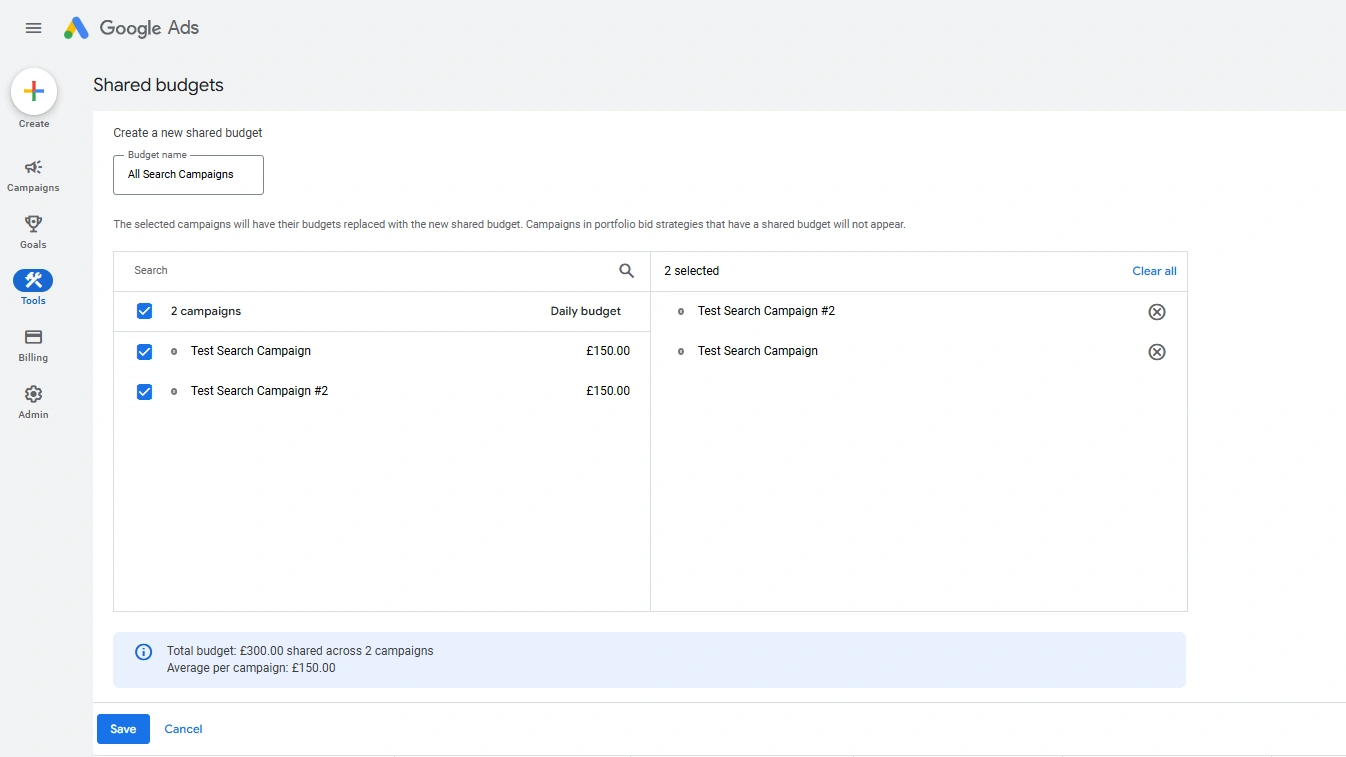
6. Save: Click Save.
Shared vs. Individual Budget
Budget Type | Control Mechanism | Best Use Case |
Individual (Standard) | You maintain strict control over the spend of each campaign. | Testing (where budget needs to be equal) or campaigns with critical targets (e.g., ensuring your Brand campaign is always funded). |
Shared | Google’s AI automatically shifts unspent budget from one campaign to an outperforming one within the group. | Scaling or campaigns with similar goals (e.g., generic vs. long-tail keywords) to maximise the total number of conversions for a set account budget. |
 Google Ads
 Search Engine Optimisation
 About Us