


The goal of moving from Maximise Clicks (which focuses on driving traffic volume) to Maximise Conversions (which focuses on results) is a key optimisation step.
The prerequisite for this change is reliable conversion data.
Step 1: Meet the Prerequisites (The Golden Rule)
Before making the switch, your campaign must have conversion tracking set up and working accurately.
- Conversion Tracking: You must have a Google conversion action (like a sale, lead form submission, or call) correctly set up and being recorded by the campaign.
- Data Volume (Stat): You should have gathered at least 15 to 30 conversions in the last 30 days. This volume provides the Google AI with enough historical data to accurately predict which clicks are likely to convert.
- Opinion: Switching too early will often cause the campaign to stop spending, as the AI has insufficient data to bid confidently.
Step 2: Change the Bidding Strategy
You will switch the bid strategy from the Campaign Settings menu.
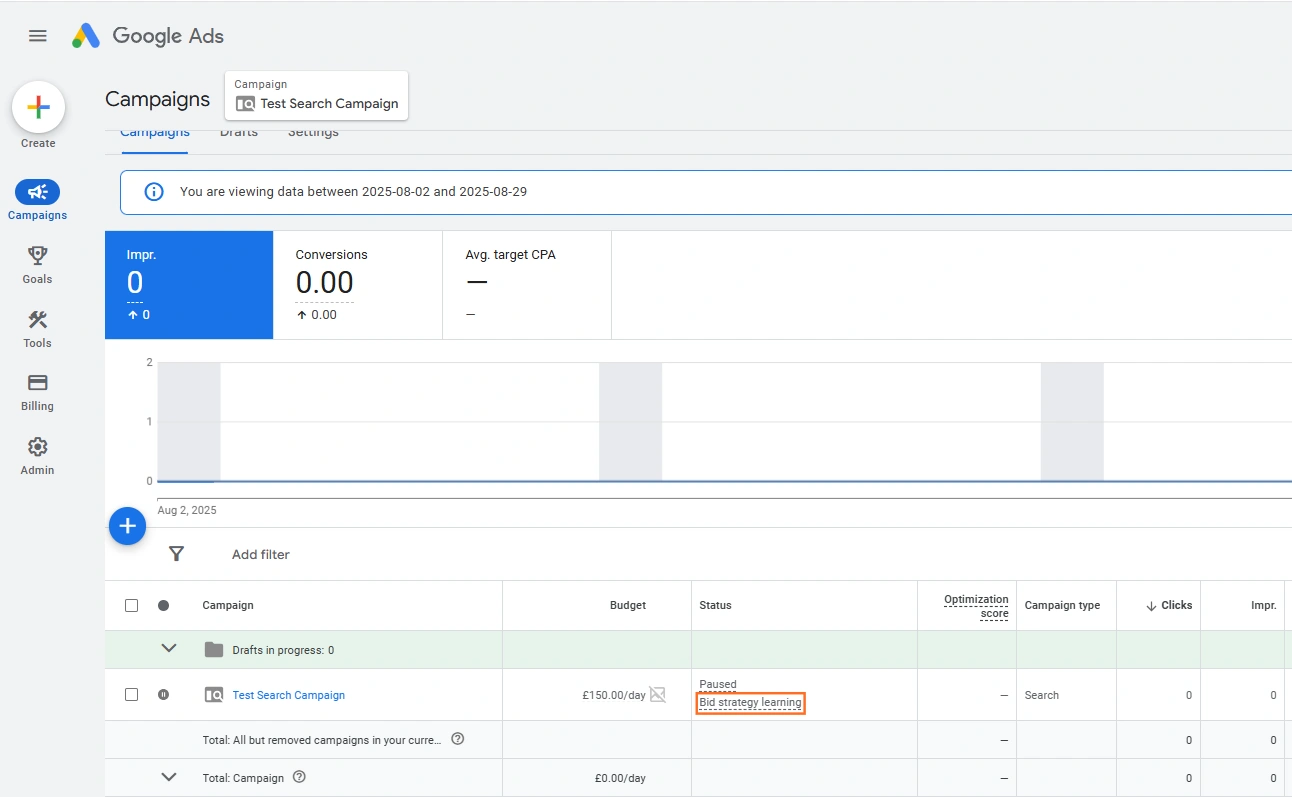
- Navigate to Campaigns: Go to the Campaigns section in the left-hand menu.
- Locate the Campaign: Find the campaign you want to edit (e.g., “Test Search Campaign” in our screenshot).
- Click the Icon: You can either:
- Click the Campaign settings icon next to the campaign’s name (if you are viewing that campaign).
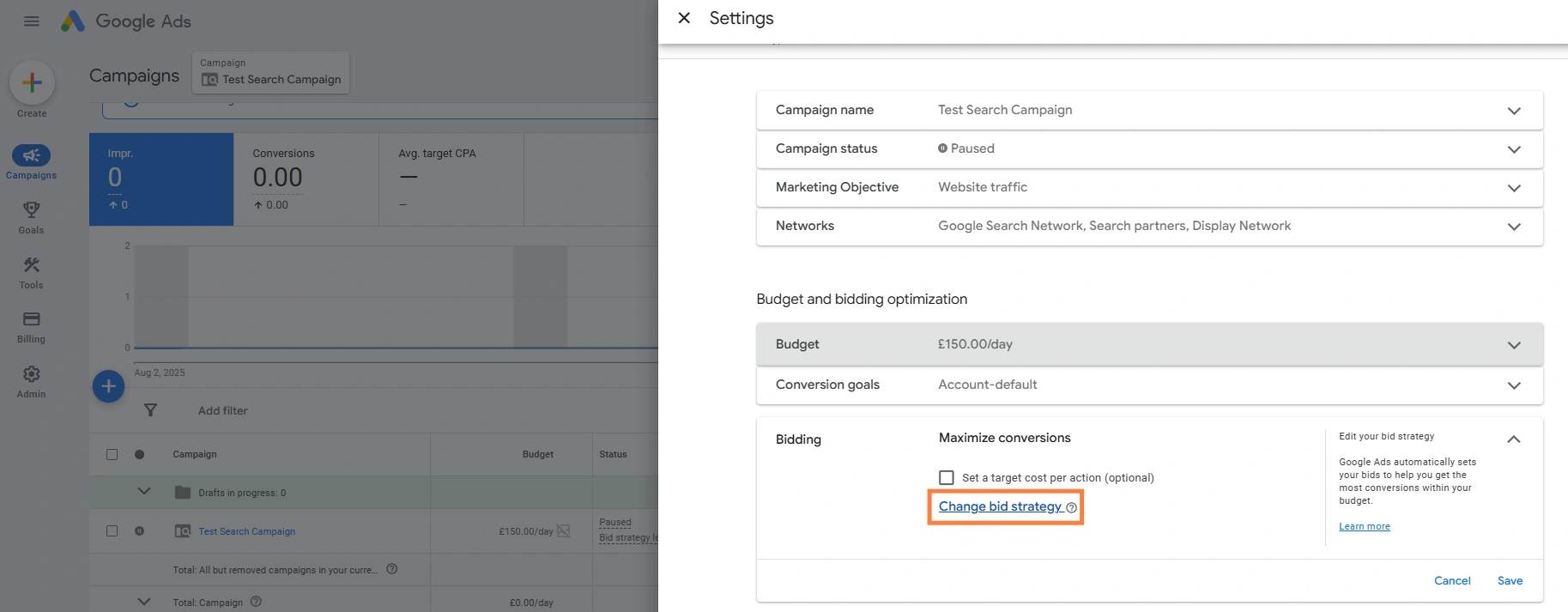
4. Find Bidding: Scroll down to the Bidding section and click the change bid strategy to edit.
5. Change Strategy: Click the drop-down menu and select Maximise conversions.
6. Set Target CPA (Optional): Once you select Maximise Conversions, you have the option to tick “Set a target cost per action (optional)”.
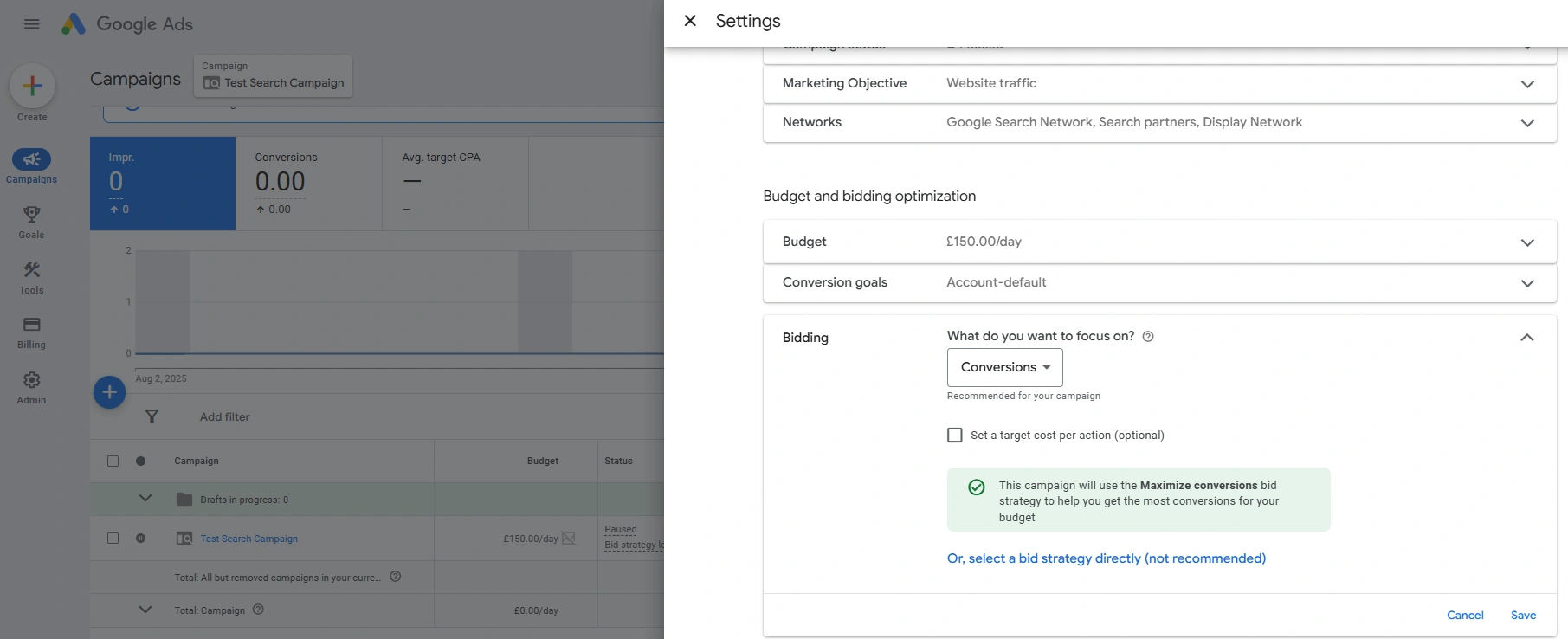
- Advice: If you know your ideal average cost to acquire a lead or sale (your Target CPA), enter it here (e.g., £30). Start with a Target CPA that is close to your current historical average to avoid under-spending.
Save: Click Save to apply the change.
Step 3: Manage the Learning Phase
After the switch, your campaign enters a brief learning period.
- Learning Status: The campaign’s status will temporarily change to ‘Learning’ as the AI recalibrates.
- Stat: The learning phase typically lasts 1 to 2 weeks, depending on your conversion volume.
- Performance Instability: Expect some volatility during this time. The campaign might spend less than usual or the Cost Per Conversion (CPA) might temporarily be higher as the AI tests different user patterns.
- Crucial Advice: Do not make any major changes to the budget, targeting, or ads during this learning phase. Resist the urge to panic and change it back. Let the AI complete its process.
- Advice: Use Observation mode initially. This lets you gather data on how these audiences perform without restricting who sees your ads, allowing you to apply ‘Bid Adjustments’ later.
 Google Ads
 Search Engine Optimisation
 About Us