


If your business isn’t showing up on Google Maps, it’s usually due to a verification issue, incorrect category setup, or a search filter problem. Maps relies heavily on your Google Business Profile (GBP) to display your listing.
1. Verification and Setup Issues (Most Common)
The most frequent reason a business doesn’t appear is an incomplete or unverified profile.
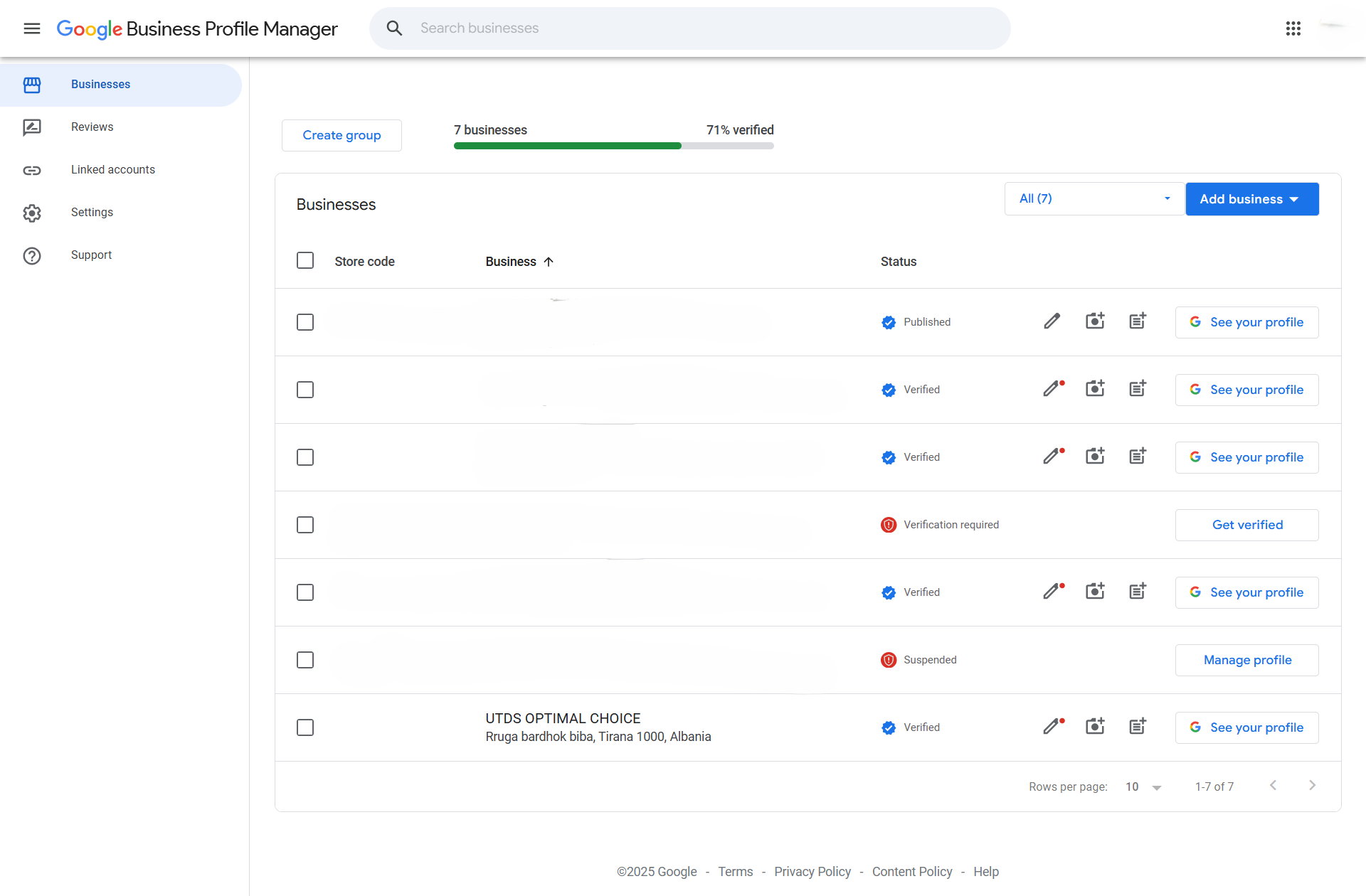
- Unverified Profile: Your profile may have been created, but you haven’t completed the verification process (e.g., entering the code from the postcard or approving a video recording). Unverified profiles will not be shown publicly on Maps.
- Action: Sign in to your Google Business Profile Manager and ensure the status says “Verified.” If not, complete the final step of verification.
- Incorrect Address or Pin Drop: If the address you entered doesn’t match a real location on Google Maps, the system may suppress the listing.
- Action: In your GBP, go to Info and check the Address. Make sure the pin on the map is dropped exactly on your business location, not nearby.
- Service-Area Business (SAB) Setup: If you are a digital marketing agency or a business that serves customers at their location and you hide your address, Google Maps will not show a specific pin for your business; instead, it will display a service area boundary.
- Action: Confirm your settings are correct. If you don’t have a physical shop front, you should only be visible for relevant searches within your defined service area, not as a specific pin.
- Action: Confirm your settings are correct. If you don’t have a physical shop front, you should only be visible for relevant searches within your defined service area, not as a specific pin.
2. Search and Visibility Issues
Your listing might be live, but you aren’t finding it because of how you’re searching.
- Searching Too Broadly (Low Rank): If you search for a generic term like “Digital Marketing Agency,” and you are a new business, Google may rank established competitors above you, pushing your listing off the first page or two of results.
- Action: First, search for your exact business name to confirm the listing is live. If it is, focus on improving your SEO by getting more reviews and filling out your profile completely.
- Category Misclassification: If you set your primary category incorrectly (e.g., you set your primary category as “Property Management” instead of “Digital Marketing Agency”), Google won’t show you for the search “Digital Marketing Agency.”
- Action: Go to your GBP Info and ensure your Primary Category is the most accurate description of your business. Use secondary categories to cover related services.
- Action: Go to your GBP Info and ensure your Primary Category is the most accurate description of your business. Use secondary categories to cover related services.
3. Quality and Policy Issues
- Duplicate Listing: You might have accidentally created two or more profiles for the same location. Google often suppresses all duplicate listings until you report the extra ones to be removed.
- Action: Search for your business and check if multiple listings appear. If they do, use the “Suggest an edit” option on the unwanted listing to mark it as “Permanently closed” or “Duplicate.”
- Suspension or Penalty: Your profile may have been temporarily or permanently suspended for violating Google’s policies (e.g., using keywords in your business name, operating a P.O. Box as a physical address, or using fake reviews).
- Action: Check your Google Business Profile Manager dashboard for a red banner indicating a suspension. If suspended, follow the required steps to submit a reinstatement request.

 Salesforce

