


Step 1: Identify Your True Organic Competitors
Before running reports, you must define who you are competing with in the UK SERPs.
- Direct Competitors: Companies that offer the same services as UTDS Optimal Choice (e.g., other digital strategy consultants).
- Organic Competitors: Websites (even informational blogs or large publications) that rank for your target keywords. These are the sites stealing your potential search traffic.
- Use Search Queries: Search your primary keywords (e.g., “UK B2B Digital Strategy”) and list the top 3-5 domains that appear on page one. These are your most direct organic rivals.
Step 2: Use Optimal Third-Party SEO Tools
Dedicated tools maintain massive databases of search engine results and can map out a competitor’s entire organic footprint. These tools are non-negotiable for this task.
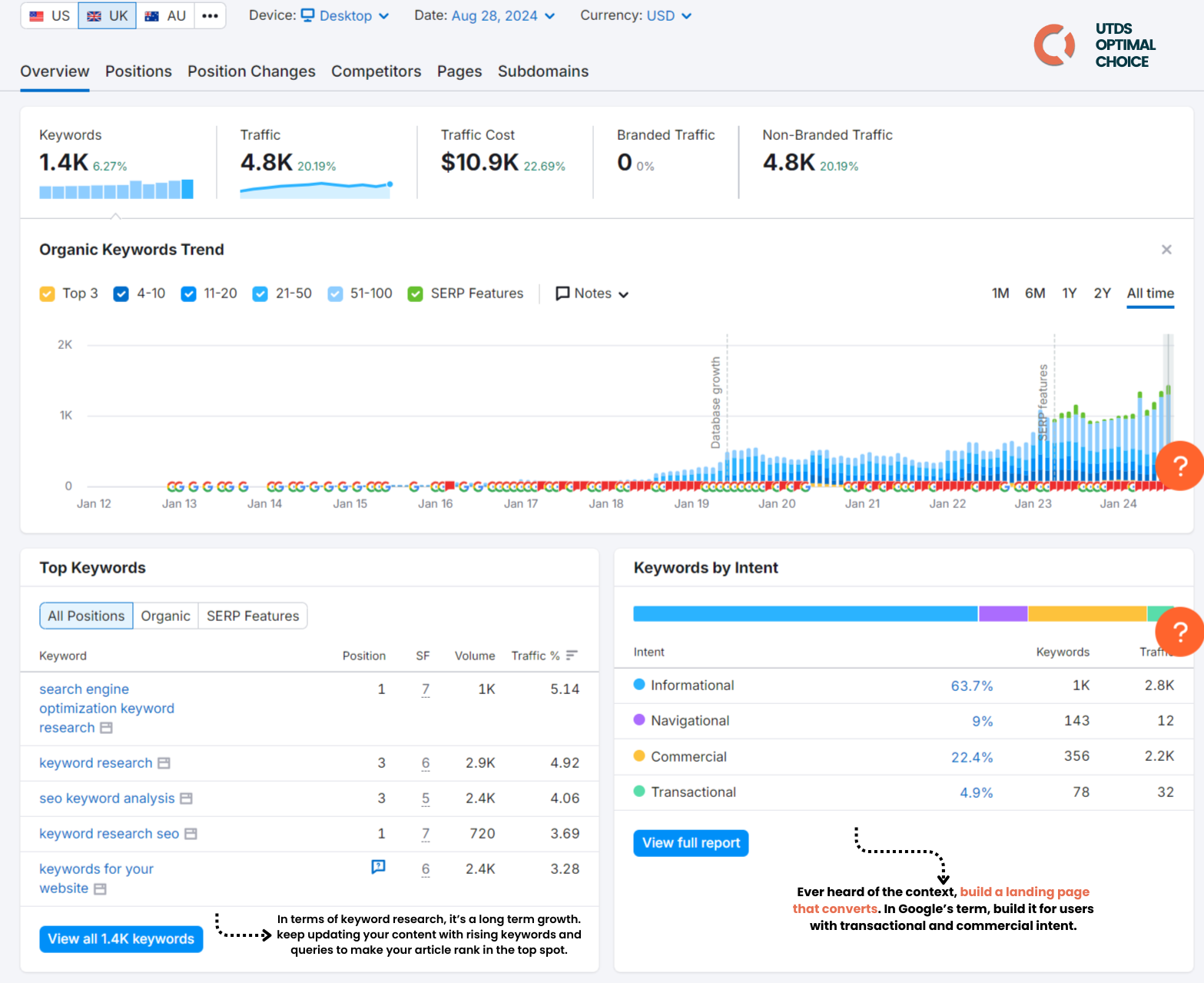
Tool | Core Feature to Use | Key Insight |
Semrush | Organic Research tool | Enter the competitor’s URL and filter by the United Kingdom to see every keyword they rank for, their position, and the estimated monthly traffic. |
Ahrefs | Site Explorer tool | Enter the domain, go to the Organic Keywords report, and filter by UK region. Ahrefs is known for the sheer volume of keywords it tracks. |
SpyFu | SEO Research tool | Dedicated competitor tool. Provides historical data on keyword performance, traffic estimates, and profitable keywords. |
SEranking | Organic Research tool | Enter the competitor’s URL and filter by the United Kingdom to see every keyword they rank for, their position, and the estimated monthly traffic. |
Optimal Action: Select your preferred tool, enter the competitor’s domain, and set the database location to the United Kingdom. This ensures you are viewing rankings relevant to your target market.
Step 3: Analyze and Filter the Keyword Data
A competitor may rank for tens of thousands of keywords. You must filter the list to find actionable opportunities.
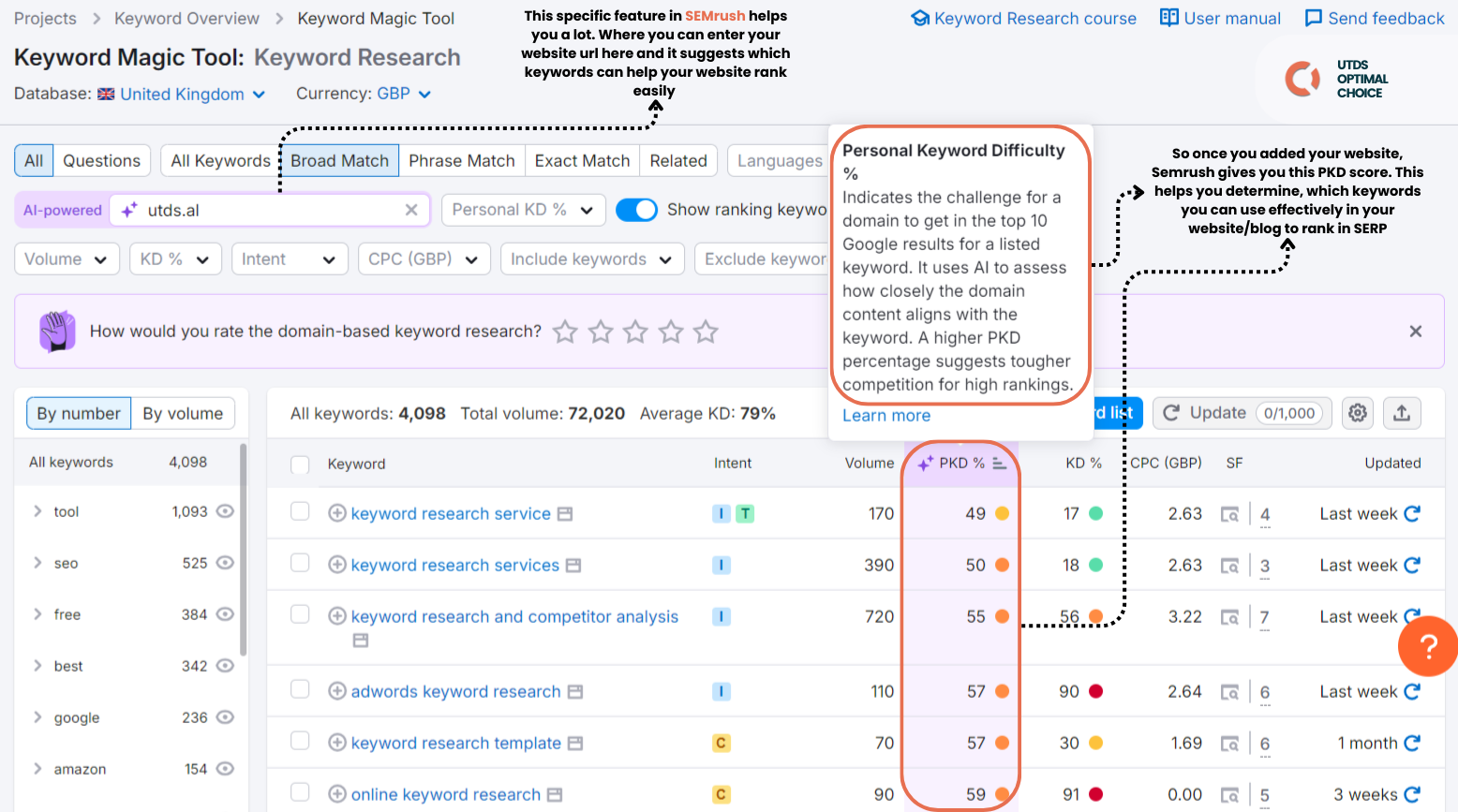
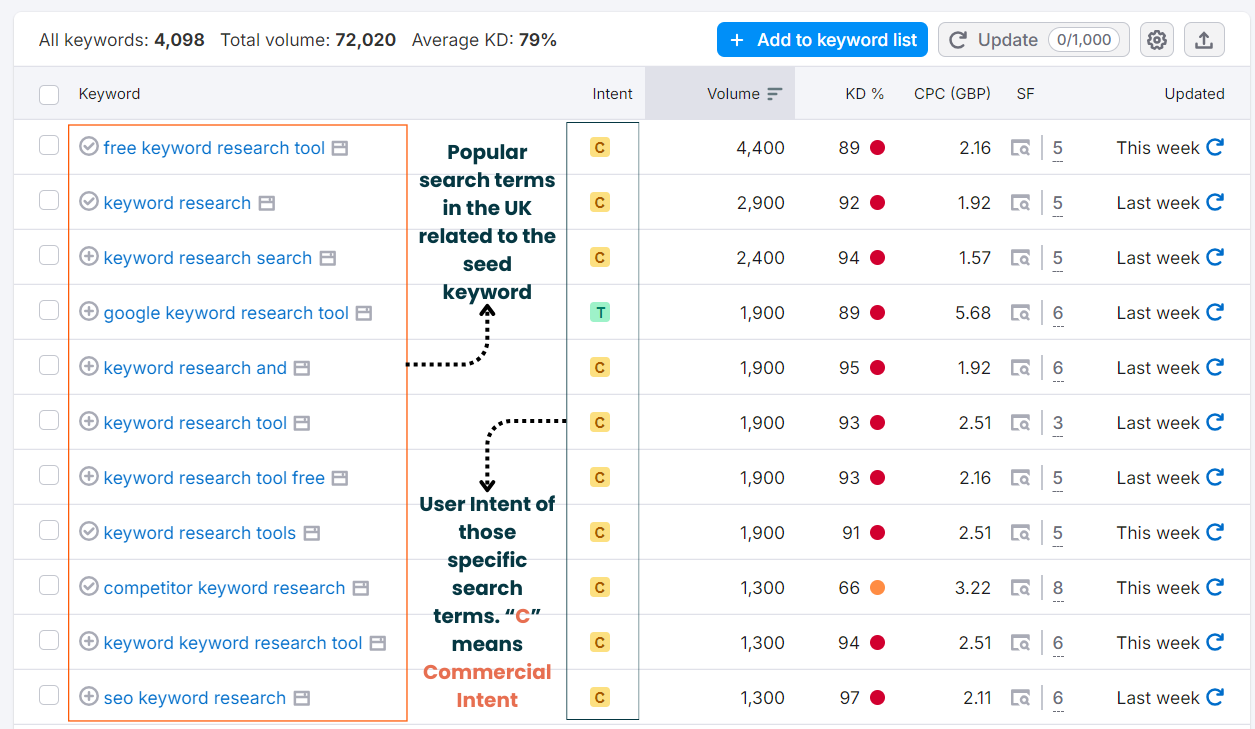
Filtering Method | Optimal Goal | Actionable Insight |
Filter by Position | Set the filter to show only keywords ranking in positions 1 through 20 (Page 1 and Page 2). | These are the most valuable, proven keywords driving real traffic and sales for the competitor. |
Filter by Volume | Set a minimum monthly Search Volume (e.g., 50+ or 100+ searches/month). | Removes thousands of low-value, untargeted long-tail queries, focusing on terms with genuine traffic potential. |
Filter by Intent | Filter the list for high Commercial Intent keywords (e.g., those containing “best,” “consultant,” “agency,” “buy,” “price”). | Pinpoints keywords that are likely driving leads and revenue, guiding your most profitable content creation. |
Step 4: Perform a Keyword Gap Analysis (The Ultimate Strategy)
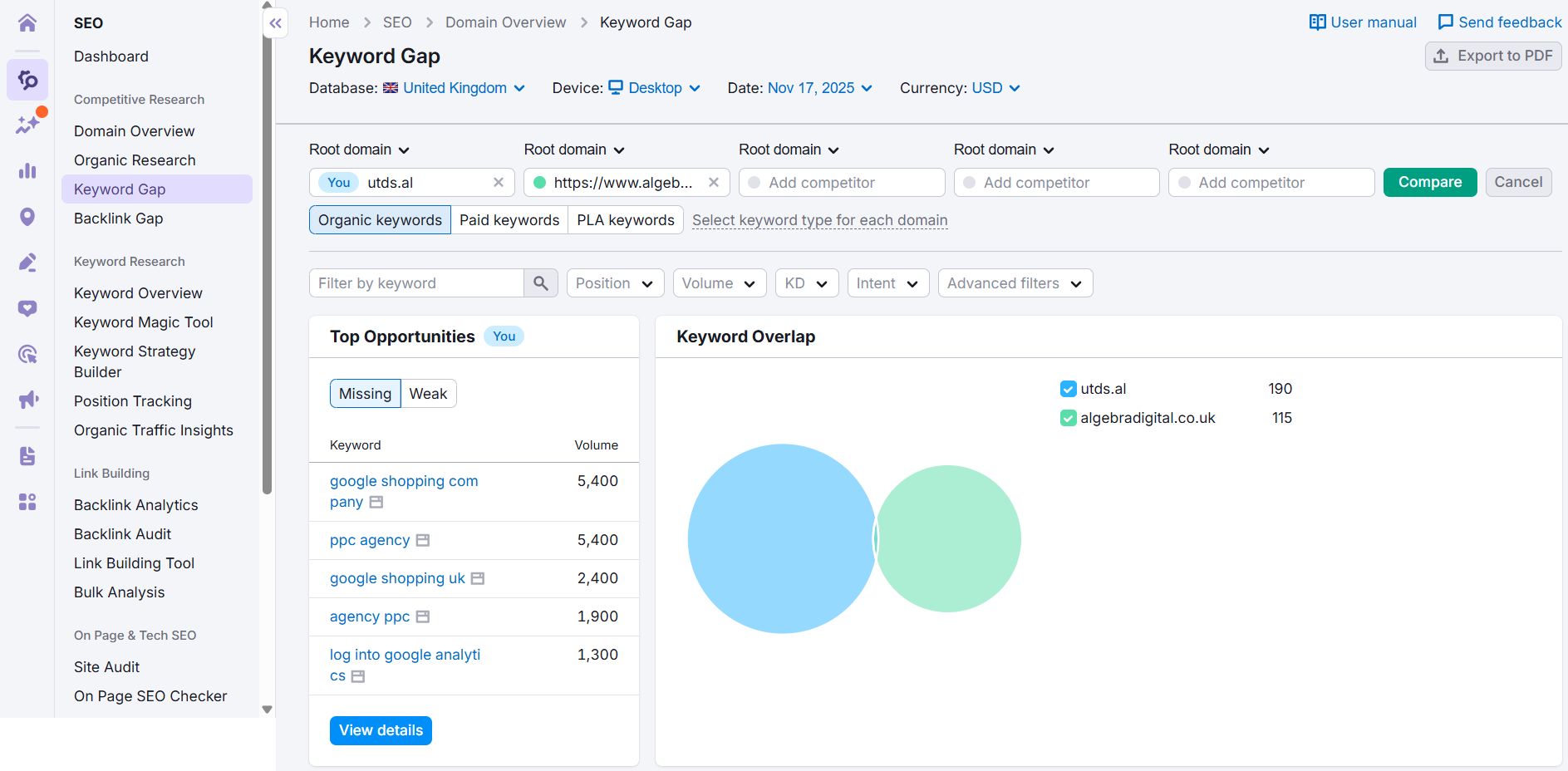
The goal is not to copy the competitor, but to find the gaps in your own strategy.
- Use the Tool’s Gap Feature: Most major SEO tools (Ahrefs Content Gap, Semrush Keyword Gap) allow you to input your domain and 3-5 competitor domains simultaneously.
- Identify “Missing” Keywords: The tool will generate a report showing:
- Keywords all 3-5 competitors rank for, but YOU DO NOT. (This is the GOLD list.)
- Keywords you all share.
- Keywords only one competitor ranks for.
- Prioritize the Missing List: The keywords that multiple rivals rank for but you completely miss are your highest-priority content opportunities. These are proven, high-intent terms that your market demands.
Step 5: Manual SERP Validation
For your top 10-20 discovered keywords, perform a final, manual check:
- Search the Keyword: Search the term on Google (UK version).
- Analyze Content Type: Does the competitor ranking well use a blog post, a service page, or a product page? This confirms the optimal search intent you must match with your own content.

 Salesforce

