


Marking up reviews with structured data (often called Schema Markup) is essential because it enables Google to display your ratings directly in the search results as Rich Snippets (e.g., star ratings, review counts). These visually enhanced snippets significantly increase your Click-Through Rate (CTR), driving more qualified organic traffic to your pages.
Key Structured Data Types for Reviews
Type of Markup | When to Use It (Optimal Page) | Purpose |
Review or AggregateRating | Used on Product Pages, Service Pages, or Local Business Pages to display the average rating and total review count. | Shows the summary stars next to your search result (e.g., “4.8 out of 5 stars from 35 reviews”). |
Review (Single) | Used on a single testimonial page or blog post where a customer’s specific review is published. | Highlights the individual reviewer’s name, rating, and date. |
Step 1: Markup Implementation (JSON-LD Method)
JSON-LD (JavaScript Object Notation for Linked Data) is the preferred format for implementing structured data, as it is simple, clean, and does not require complex manipulation of the page’s visible HTML elements.
You must place this script block in the <head> or <body> of the page.
Example: Aggregate Rating Markup
This example is for marking up the average rating for a service
<script type="application/ld+json">
{
  "@context": "https://schema.org",
  "@type": "Service",
  "name": "Digital Strategy Consulting",
  "aggregateRating": {
    "@type": "AggregateRating",
    "ratingValue": "4.9",
    "reviewCount": "125"
  },
  "url": "https://utdsoptimalchoice.com/digital-strategy-consulting"
}
</script>
Property | Description |
ratingValue | The numeric average rating (e.g., 4.9). Must be between 1.0 and 5.0. |
reviewCount | The total number of reviews that contributed to the average (e.g., 125). |
name & url | Identifies the item being reviewed (your specific service page). |
Step 2: Crucial Google Guidelines
Google has strict rules for using review markup to prevent spam and manipulation. Ignoring these rules will lead to a penalty or a manual action.
- Relevance: The reviews must be relevant to the Local Business, Product, or Service being described on the specific page where the code is placed. You cannot mark up reviews about your company on a generic “Contact Us” page.
- Originality: The reviews must be visible on the page to the user. Hidden reviews (invisible text or off-screen elements) will be rejected.
- Self-Serving Reviews: Do NOT mark up reviews that are self-published or directly sourced from your own website (e.g., testimonials you collect directly on your site). Google prefers reviews aggregated from independent, third-party sites like Google Business Profile or Trustpilot.
- No Review Markup for Non-Specific Items: The Review structured data should not be used on your homepage unless the homepage is purely dedicated to one product/service. It is best placed on dedicated service pages.
Step 3: Validation and Testing
Validation is mandatory before deploying any structured data.
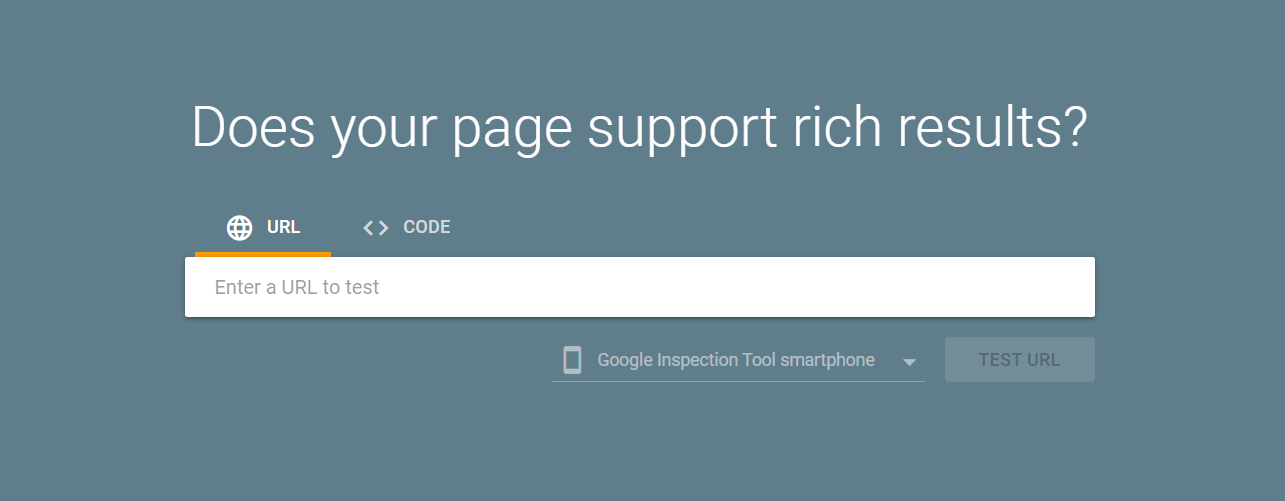
- Google Rich Results Test: Use Google’s official tool to test the code snippet or the live URL of your page.
- Fix Errors: The tool will tell you if the markup is valid for Rich Snippets or if there are any errors (e.g., missing required fields like reviewCount).
- Monitor in GSC: Once deployed, monitor the Enhancements section in Google Search Console (GSC). A dedicated “Reviews” or “Products” report will appear, showing all valid, warning, and error pages related to your structured data.

 Salesforce

