


1. Use Dedicated SEO Tools (Recommended)
The best method involves using a professional SEO platform, as they maintain massive, continuously updated databases of links across the internet.
Top Backlink Analysis Tools
Tool | Key Feature for Analysis |
Ahrefs | Known for having one of the largest and freshest backlink indexes. Use their Site Explorer. |
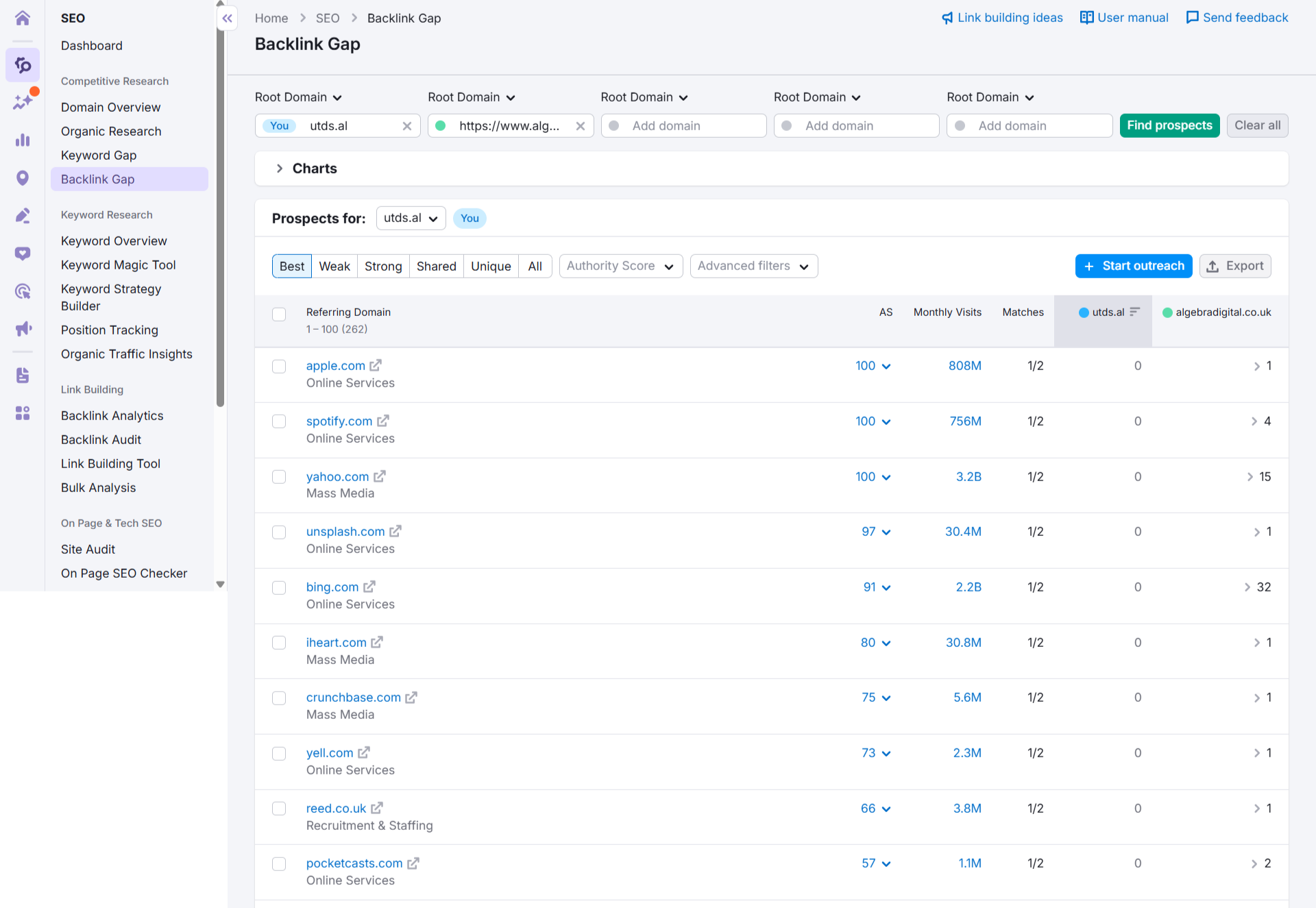
Semrush | Excellent for running a Backlink Gap analysis to compare your profile against multiple competitors simultaneously. |
Majestic | Specializes in link data and uses proprietary metrics like Trust Flow and Citation Flow to gauge link quality. |
Moz Pro | Offers the Link Explorer tool, using its proprietary Domain Authority (DA) metric. |
The Process
- Select a Competitor: Choose the URL of one of your top competitors (e.g., competitor.com).
- Enter the URL: Paste the competitor’s domain into the tool’s Site Explorer or Backlink Checker field.
- Generate Report: The tool will generate a detailed report showing:
- Referring Domains: A list of every unique website that links to your competitor.
- Backlinks: The total count of all individual links.
- Anchor Text: The specific text used in the link.
- Link Type: Whether the link is “dofollow” (passes SEO value) or “nofollow” (does not).
2. Competitive Link Strategy (The Goal)
The ultimate goal of this analysis is to find Link Opportunities that your competitors have, but you don’t. This is often called a Link Intersect or Backlink Gap analysis.
By filtering the competitor’s backlink report, you can identify:
- Easy Wins: Websites that link to all your competitors, but not to you. These sites are clearly in the habit of linking to businesses in your niche.
- Resource Pages: Sites with lists of industry resources, where your competitor is already featured.
- Guest Post/Content Targets: Blogs or publications where your competitor has published content and earned a link.
You can then use this intelligence to reach out to those same websites (a process called link building) and earn a link back to your own site.
3. Limited Free Method
While not a replacement for the dedicated tools, you can use Google Search Operators to find some linking websites. This method is often incomplete and provides limited data, but it’s free:
- Search for Competitor Mentions: Use the competitor’s brand name in a standard Google search, but exclude their own website from the results.
- Query Example: “Competitor Brand Name” -site:competitorwebsite.com
- Query Example: “Competitor Brand Name” -site:competitorwebsite.com
This will show you articles and pages across the web that mention your competitor’s brand name, giving you a starting point for manual investigation into whether a link is present.

 Salesforce

