


Comparing your traffic to competitors is vital for understanding your market share, setting realistic SEO goals, and identifying competitors’ winning content strategies. This requires combining data from your own GA4 account with estimates from external SEO tools.
Step 1: Benchmark Your Own Performance (The GA4 Baseline)
Before looking outward, establish a clear baseline of your own performance using the most accurate data source: your own GA4 property.
- Find Total Organic Traffic: Go to GA4 to Reports to Acquisition to Traffic Acquisition.
- Filter by Channel: Filter the primary dimension by “Organic Search” to isolate the traffic driven by search engines (the most comparable metric).
- Establish Key Metrics: Record your average monthly Organic Views (or Sessions) and Engagement Rate. This is the benchmark against which you will compare competitor estimates.
Step 2: Use Optimal Third-Party Estimation Tools
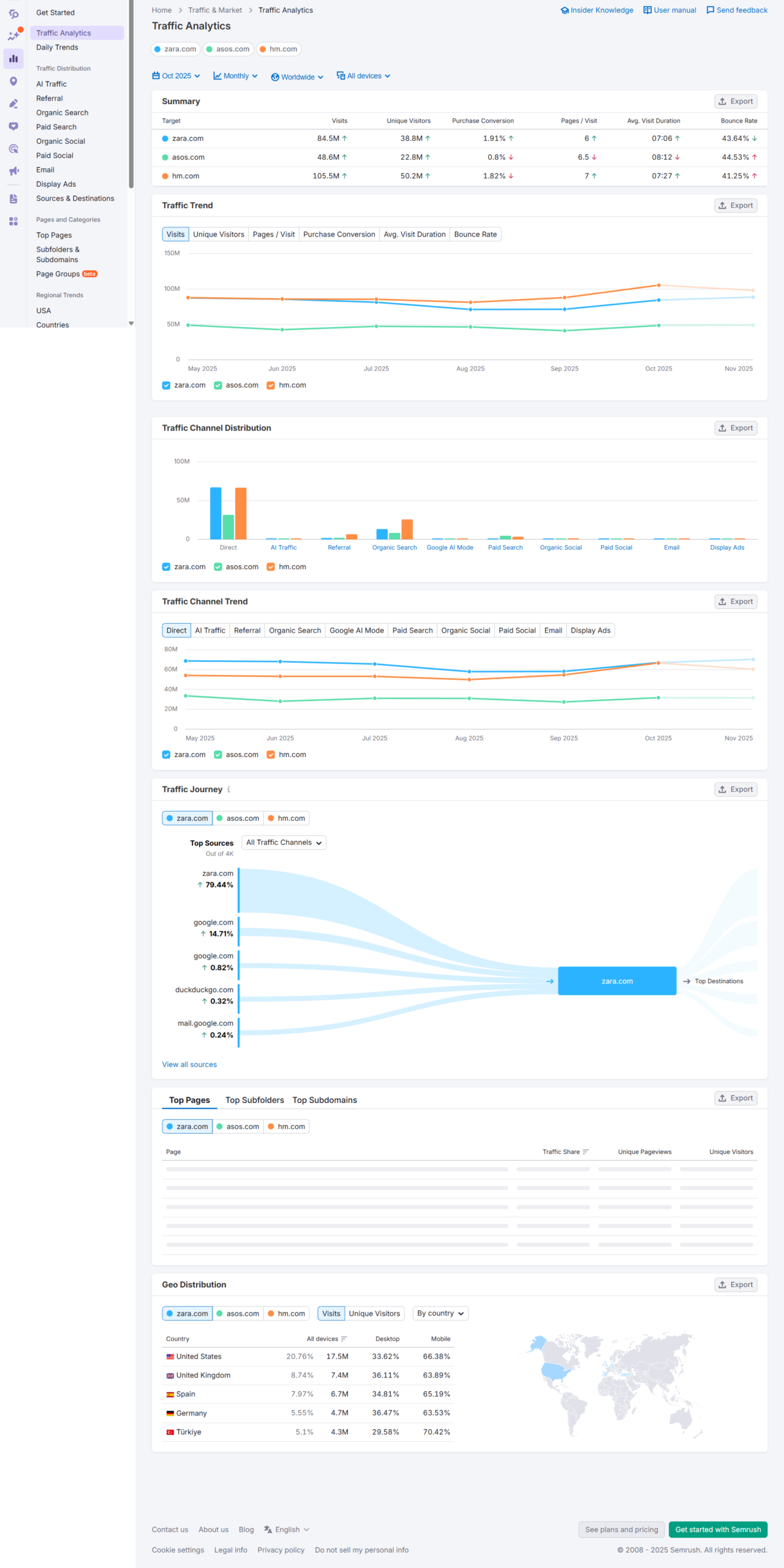
Since you cannot see a competitor’s GA4 data, you must rely on tools that maintain a proprietary index of organic keyword rankings and match that data against estimated search volumes to model traffic.
Tool | Core Feature for Traffic Estimation | Key Insight for UTDS Clients |
Semrush | Traffic Analytics tool | Provides estimated total monthly Visitors and Traffic Cost (what it would cost to buy that traffic via PPC). Optimal for seeing broad trends. |
Ahrefs | Site Explorer tool to Organic Search | Focuses on Organic Traffic estimates, showing the value of traffic based on the search volume of keywords they rank for. |
Similarweb | Website Analysis tool | Estimates traffic from all sources (Direct, Referral, Social, Search) and provides demographic insights. Optimal for holistic market share. |
Optimal Rule: Traffic figures from these tools are estimates, not facts. Use them for trend analysis and relative comparison (e.g., Competitor A gets 3x more traffic than Competitor B), not absolute accuracy.
Step 3: Strategic Benchmarking and Gap Analysis
Use the collected competitor traffic estimates to inform your strategy.
1. Analyze Traffic Value
- Don’t just look at traffic volume; look at the quality. A smaller traffic volume with a higher concentration of high-intent commercial keywords is far more valuable than large informational traffic.
- Action: In the SEO tools, look at the Traffic Value metric, which estimates the cost of buying that traffic through Google Ads. This helps prioritize high-ROI competitors.
2. Identify Traffic Leaders
- Action: Compare the overall estimated traffic volume across your top 3-5 competitors. The competitor with the highest estimated traffic volume is likely the Content Leader, the one whose strategy you should dissect via a Keyword Gap Analysis (a previous topic).
3. Analyze Growth Trends
- Action: Use the tools’ historical data feature to compare the 6-month or 12-month traffic trend of your site versus a competitor’s. If their traffic is growing rapidly and yours is stagnant, they have recently implemented a successful strategy you need to uncover.
4. Dissect Top Pages
- Action: Go into the competitor’s reports and identify their Top Organic Pages. These are the pages that drive the bulk of their traffic. Analyze the content on those pages to understand the user intent they are fulfilling and replicate the success with your own superior content.

 Salesforce

