How do I track opportunity value by product?

To track Opportunity value by product, you must use Products and Price Books. Instead of manually typing an amount into the “Amount” field, Salesforce automatically calculates the total value based on the individual products (Line Items) you add to the deal.

Step 1: Enable Products and Price Books
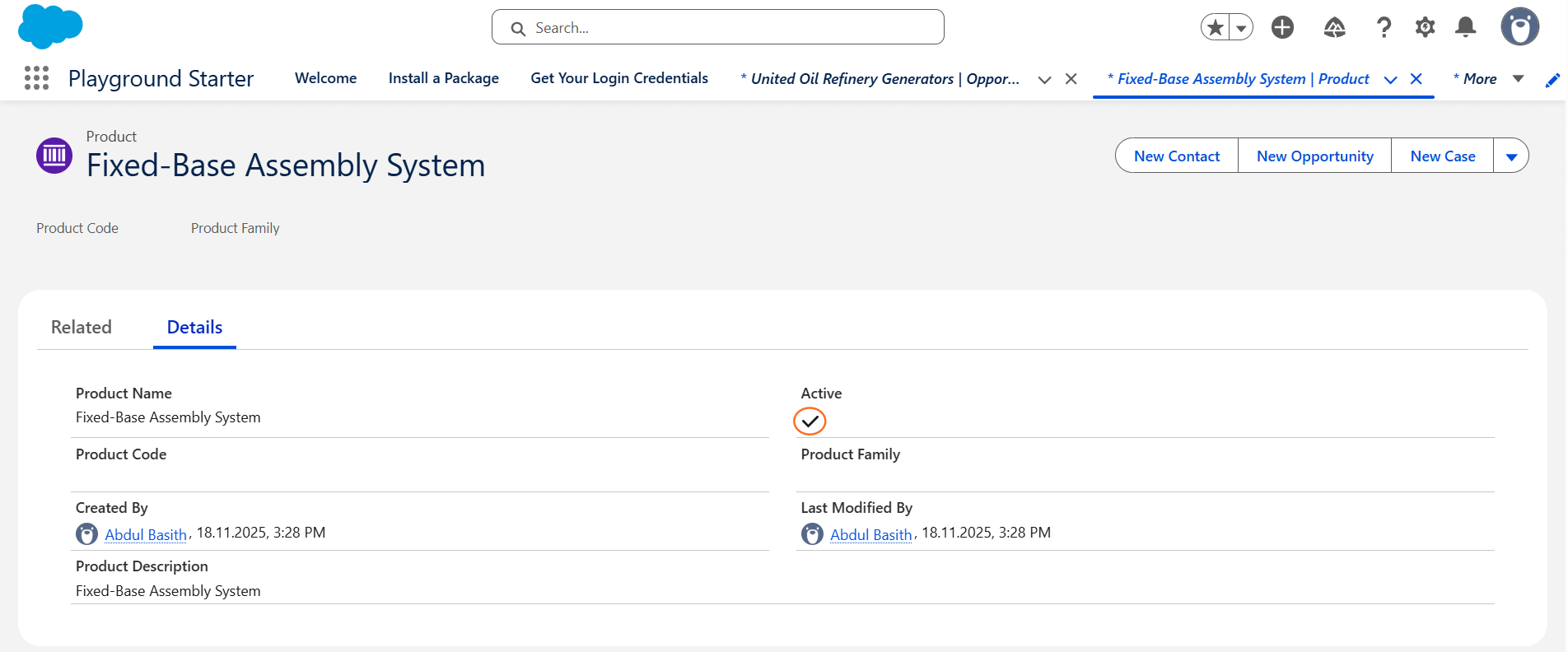
Most Salesforce environments have these enabled by default. If you don’t see the “Products” related list on your Opportunity, ensure you have at least one Price Book set up with active products.

How do I track opportunity value by product? | Salesforce | Step 1
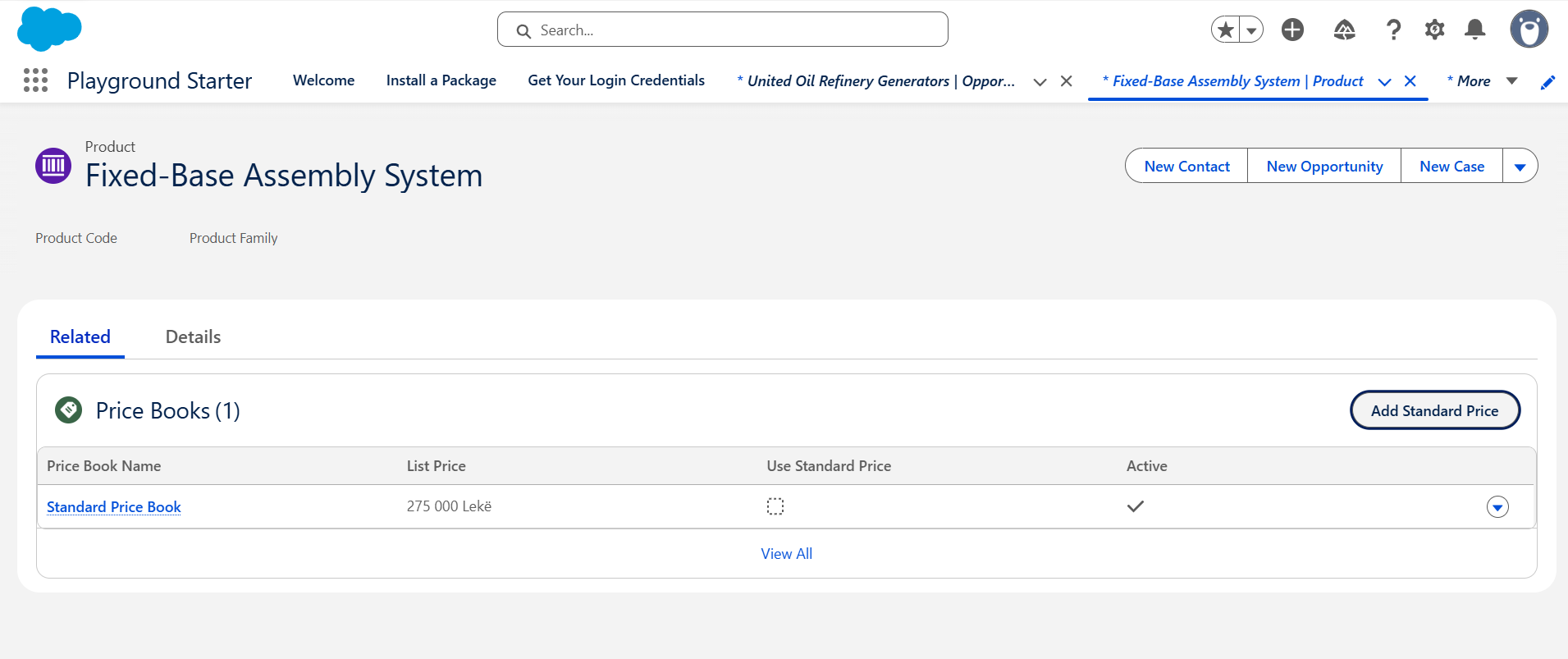
  • Go to the App Launcher (9 dots) and search for Products.
  • Ensure your products are created and have an Active status.
How do I track opportunity value by product? | Salesforce | Step 1.1
  • Ensure each product has a Standard Price assigned.

Step 2: Add the Products Related List
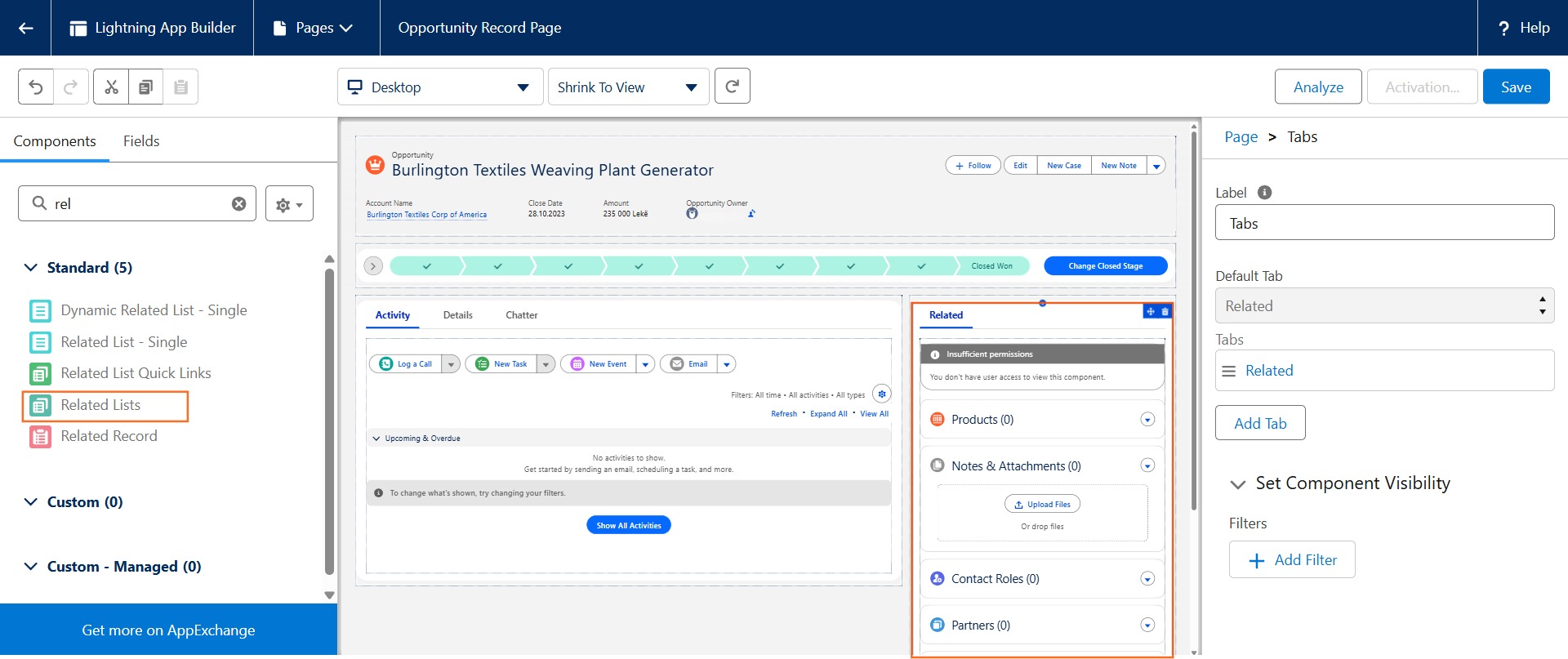
If you cannot see where to add products on an Opportunity:

How do I track opportunity value by product? | Salesforce | Step 2
  • Open an Opportunity record.
  • Click the Gear Icon > Edit Page.
  • In the Lightning App Builder, ensure the Related List – Single or Related Lists component is on the page.
  • Set the Related List to Opportunity Products.
  • Save and Activate.

Step 3: Adding Products to an Opportunity
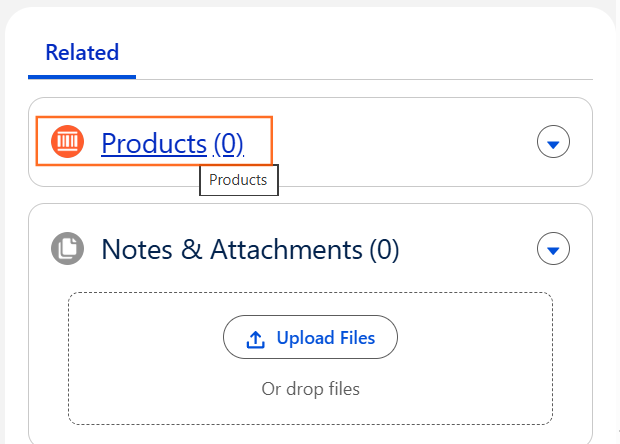
How do I track opportunity value by product? | Salesforce | Step 3
  • Navigate to App Launcher and Opportunity.
  • Find the Products in related list, Click it  and click Add Products.
How do I track opportunity value by product? | Salesforce | Step 3.1
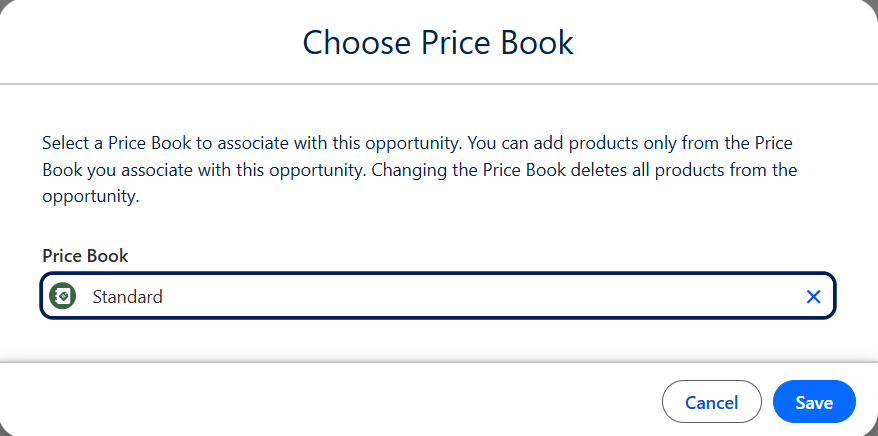
  • If prompted, select a Price Book (e.g., Standard Price Book).
How do I track opportunity value by product? | Salesforce | Step 3.2
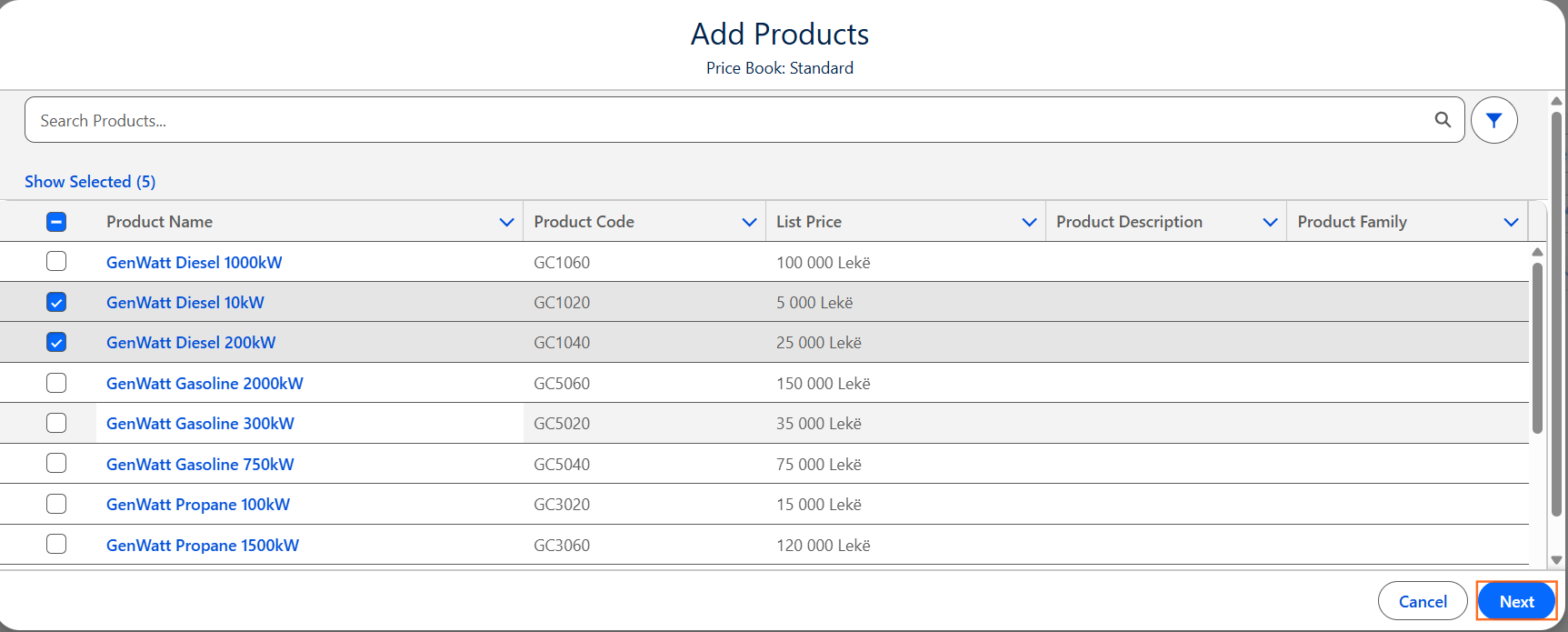
  • Check the boxes next to the products being sold and click Next.
How do I track opportunity value by product? | Salesforce | Step 3.3
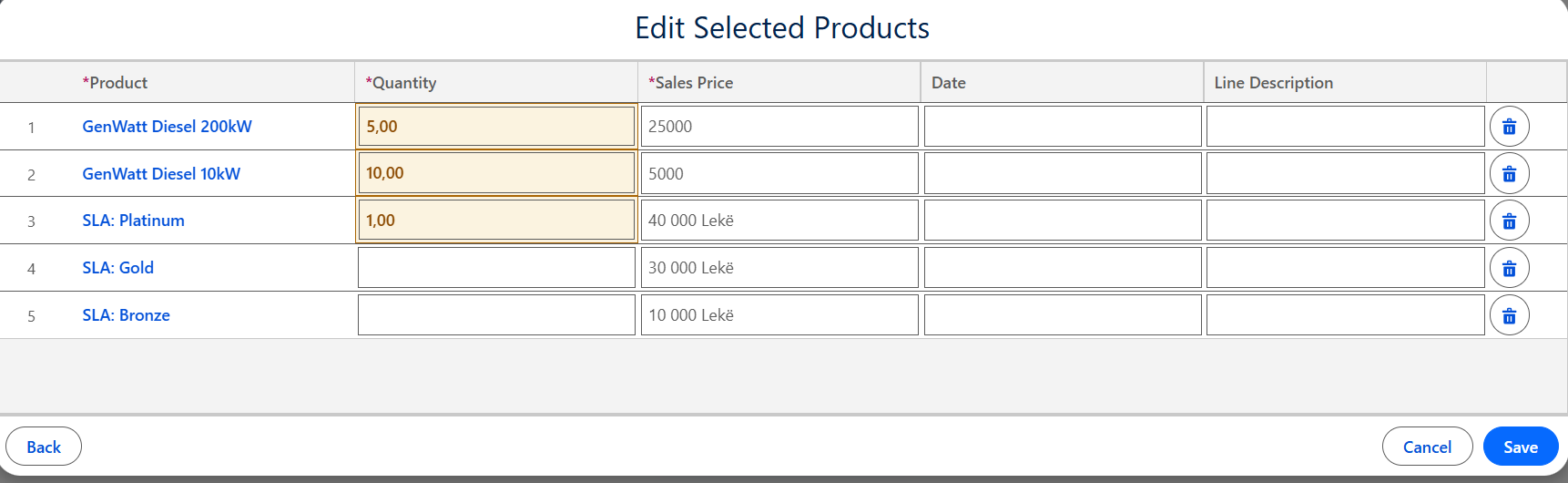
  • Enter the Quantity and Sales Price for each item.
How do I track opportunity value by product? | Salesforce | Step 3.4
  • Click Save.

Step 4: How the Value is Calculated

Once products are added, the Amount field on the Opportunity becomes “Read-Only.” Salesforce calculates the value using this formula:

How do I track opportunity value by product? | Salesforce | Step 4

Step 5: Reporting on Product Value

To see a breakdown of which products are driving revenue across your pipeline, you need a specific report type.

How do I track opportunity value by product? | Salesforce | Step 5
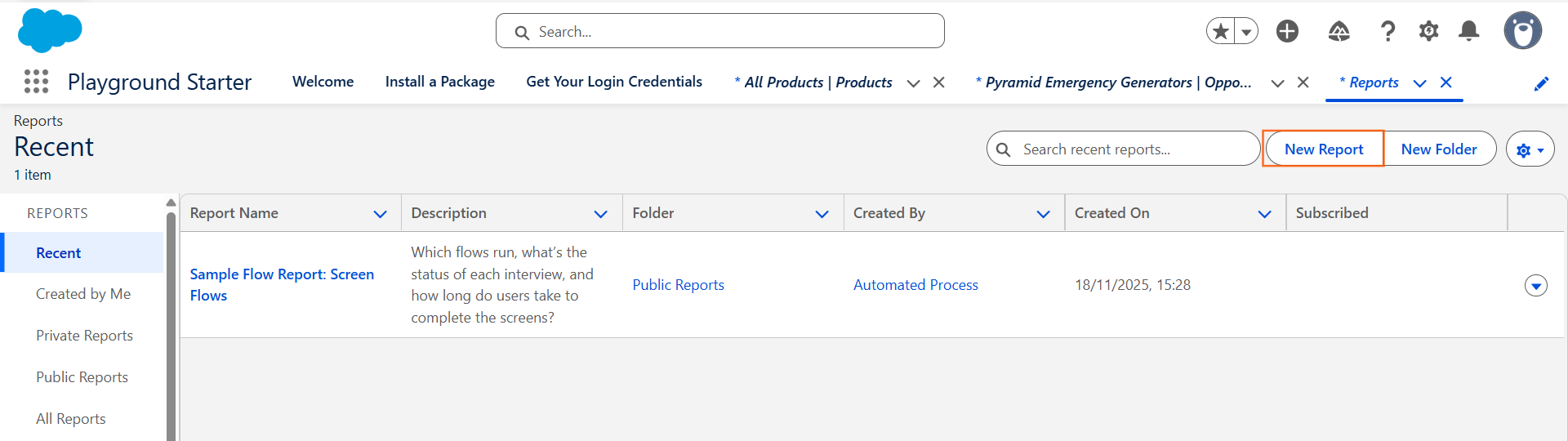
  • Go to App Launcher the Reports tab and click New Report.
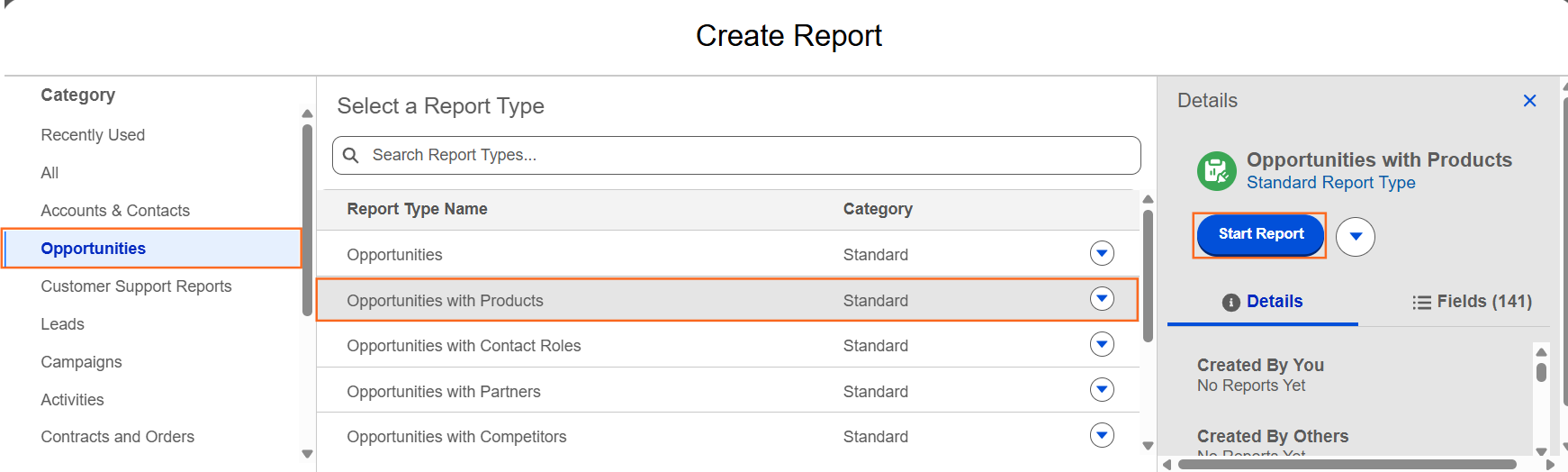
  • Search for the report type: Opportunities with Products.
How do I track opportunity value by product? | Salesforce | Step 5.1
  • Click Start Report.
  • Group by “Product Name” and Sum the “Total Price” column.

Step 6: Technical Considerations

  • Multi-Currency: If your org uses multiple currencies, the product prices must be defined for each currency in the Price Book.
  • Schedules: If you sell subscriptions or products paid in installments, you can enable Product Schedules to track revenue over time.
  • The Amount Field: Remind users in your guide that as soon as one product is added, they can no longer manually edit the “Amount” field on the Opportunity.
Last Updated 2nd February 2026.

Was this article helpful?

We publish our Knowledge Base to help individuals and businesses resolve common issues across websites, advertising platforms, Salesforce and other digital systems.

We regularly review and update our guides, but the platforms, software and services covered can change without notice. As a result, screenshots, settings, features or recommended processes may differ from those available when an article was last reviewed.

The information provided is general guidance and should not be treated as advice specific to your systems or circumstances. UTDS Optimal Choice cannot accept responsibility for errors, data loss, service disruption or other issues resulting from changes made by following these guides.

If you are unsure about any of the steps, particularly where a change could affect live systems, data, tracking or business processes, we recommend speaking to us before making the change. Our team can review your specific setup and provide advice based on the current platform and configuration.

Time for some professional support?

Our team area ready to help. As one of the few digital agencies that is a registered Salesforce Consulting Partner and Google Partner Agency, UTDS Optimal Choice is expertly positioned to support you across your entire digital landscape.
Related Pages