


To hide fields from specific profiles in Salesforce, you must use Field-Level Security (FLS). This is the most effective way to ensure that certain users cannot see or edit sensitive data, regardless of the Page Layout or report they are viewing.
Step 1: Adjusting Field-Level Security (FLS)
This method allows you to manage visibility for a single field across all profiles at once.
- Navigate to Setup > Object Manager.
- Select the Object containing the field.
- Click Fields & Relationships.
- Select the specific Field you want to hide.
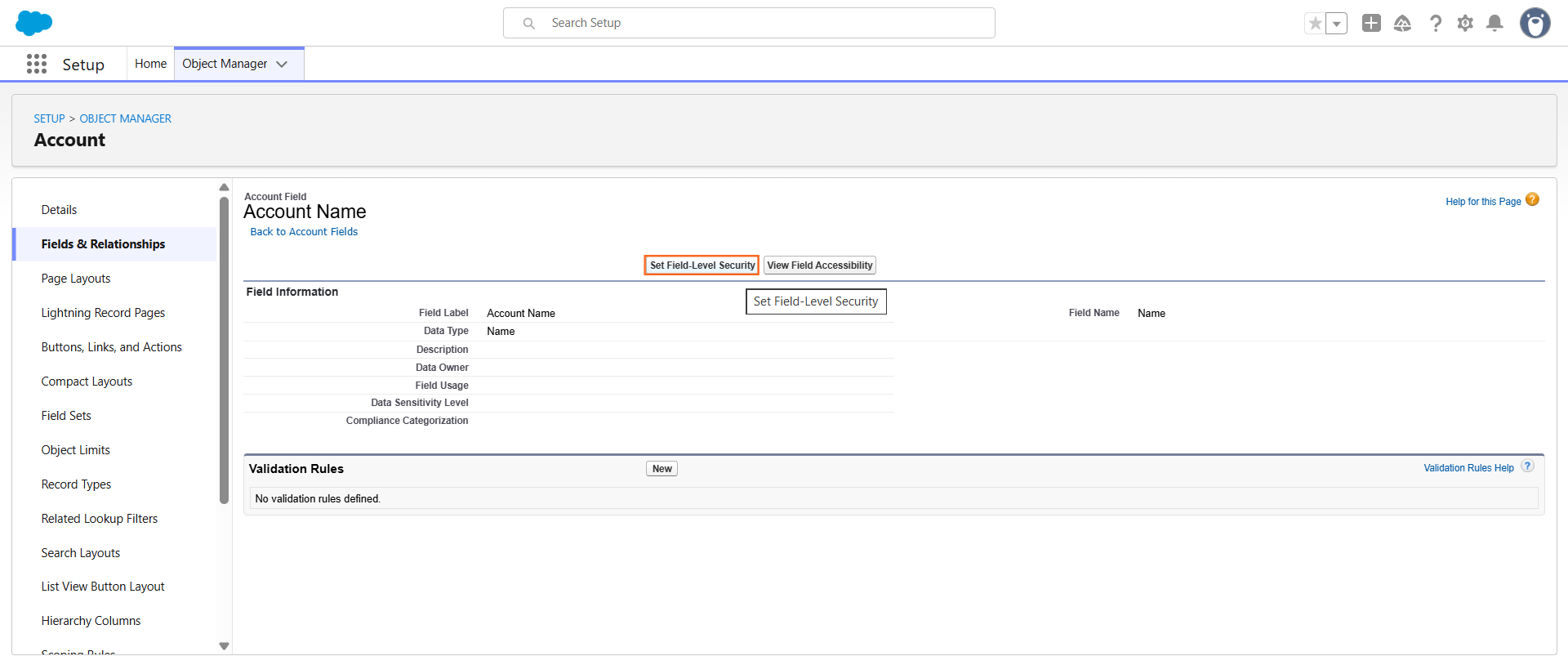
5. Click the Set Field-Level Security button at the top.
6. Uncheck the Visible box for the specific profiles that should not see the field.
- Note: If “Visible” is unchecked, “Read-Only” will also be automatically unchecked.
7. Click Save.
Step 2: Using the Profile Menu
If you need to hide multiple fields from a single profile, it is faster to go through the Profile settings.
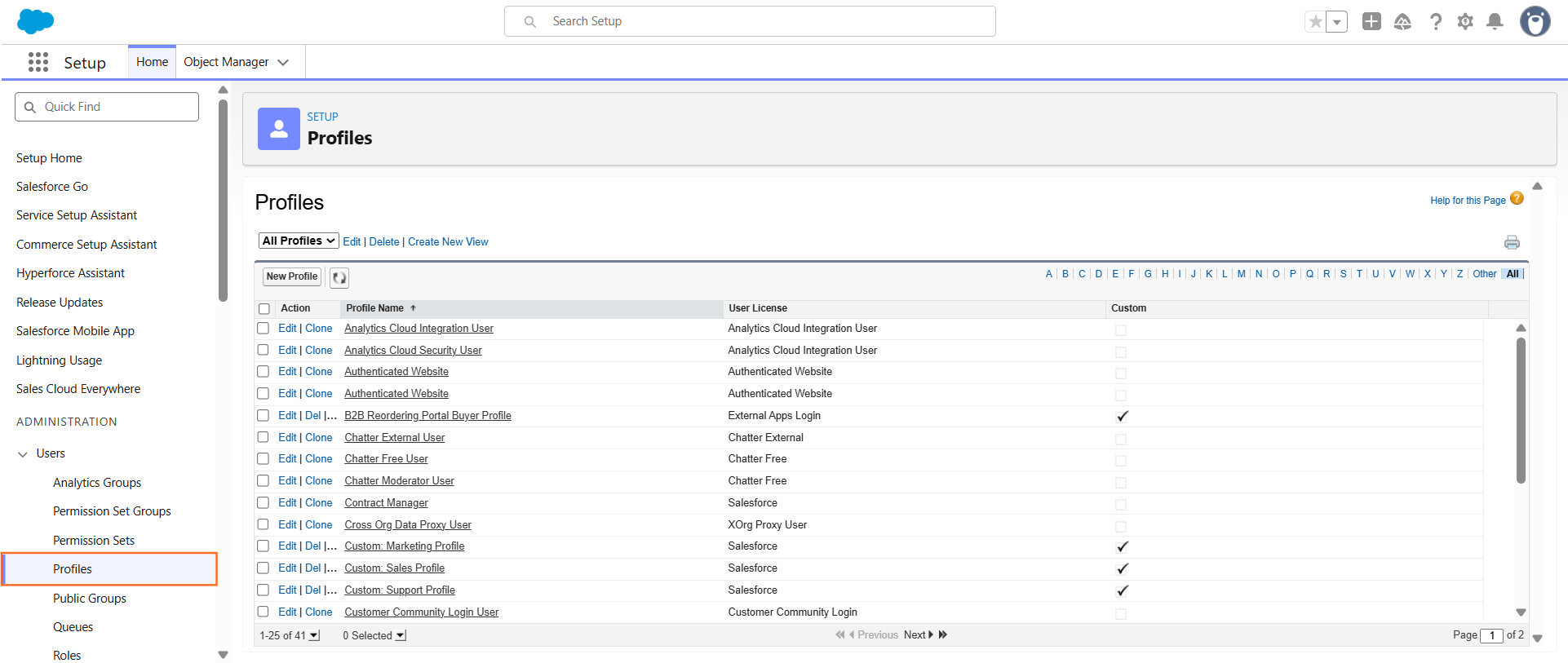
- Navigate to Setup > Users > Profiles.
- Select the Profile you want to modify.
- Depending on your interface (Enhanced Profile User Interface):
- Standard: Scroll to Field-Level Security, find the Object Milestone, and click View.
- Enhanced: Click Object Settings, select the Object, and click Edit.
- Change the permissions for the specific fields to hidden (uncheck Read Access and Edit Access).
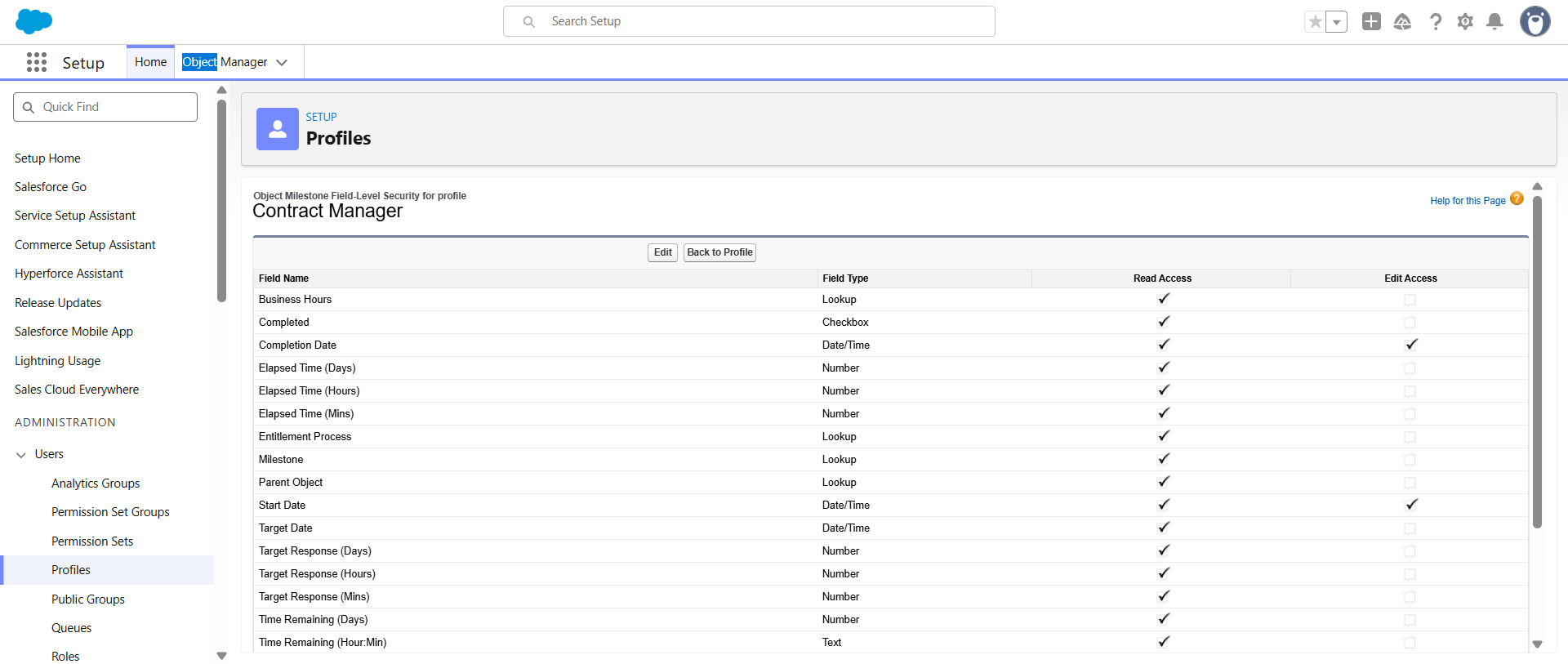
Click Save
Step 3: Visibility Comparison
In technical writing, it is important to distinguish between “Hidden” and “Read-Only” for the end user.
Permission | User Experience | Use Case |
Visible & Editable | User can see and change data. | Standard operational access. |
Read-Only | User can see data but cannot click edit. | Auditing or reference-only access. |
Hidden (Unchecked) | Field does not appear on layouts, reports, or search. | Sensitive data (e.g., Salary, SSN). |
Step 4: Important Considerations
- System Administrators: By default, the System Admin profile usually has “View All Data,” which may override some UI settings, though FLS usually still applies.
- Permission Sets: If a field is hidden at the Profile level but granted via a Permission Set, the user will be able to see it. Permission sets always grant additional access; they never restrict it.
- Page Layouts vs. FLS: Removing a field from a Page Layout only hides it from that specific screen. The user could still see the data in a Report or via the API. FLS is the only way to truly “hide” the data.

 Salesforce

