


You can implement blocks at two levels: Account-level (for universal blocking) and Campaign-level (for specific Search or Display campaigns).
1. Account-Level Exclusions (Best for PMax & Universal Blocks)
Use this for confirmed competitor offices or known bot networks.
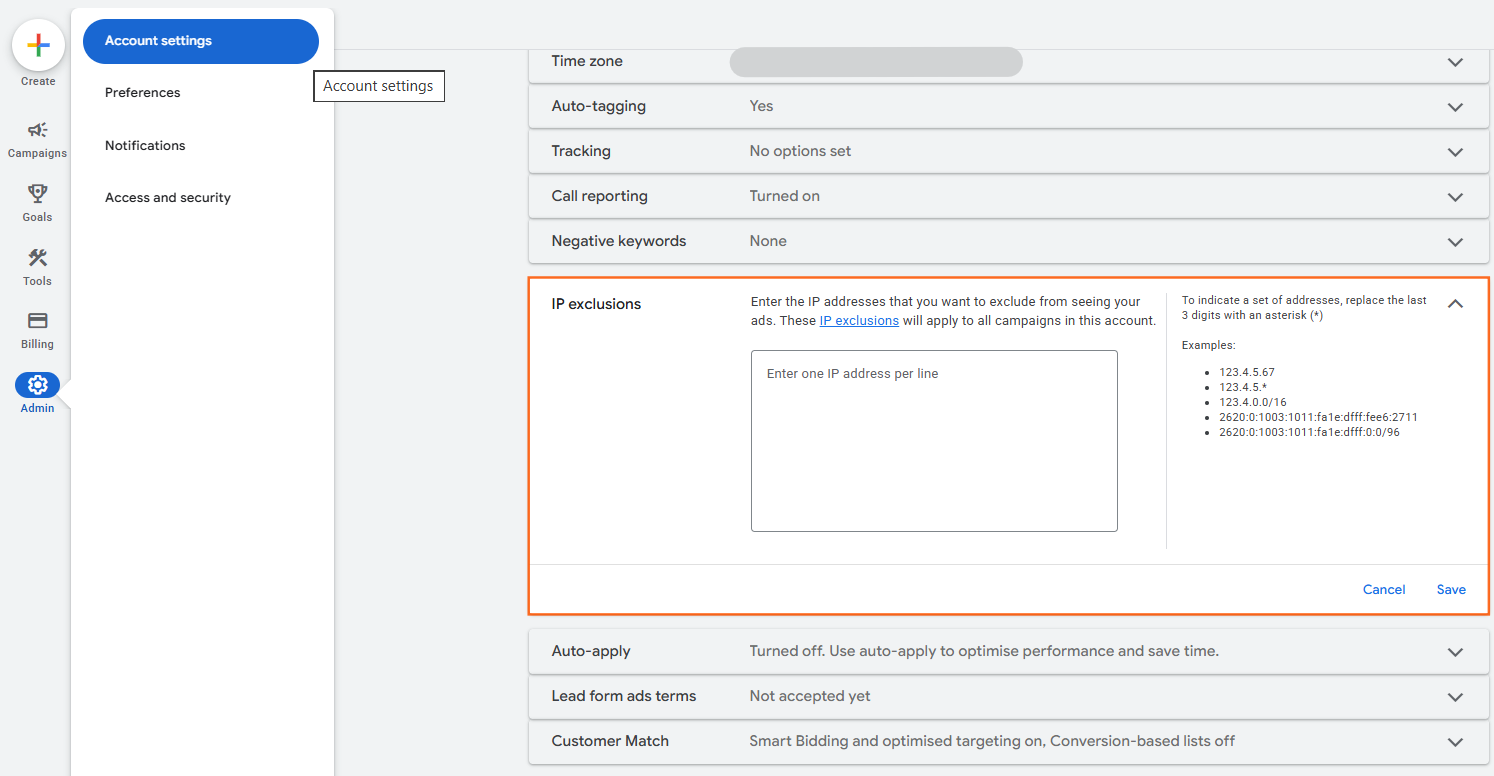
- Click the Admin (gear icon) in the left-hand navigation.
- Select Account settings.
- Find and expand the “IP exclusions” section.
- Enter the IP addresses (one per line).
- Pro Tip: Use a wildcard to block an entire office range (e.g., 192.168.1.* blocks all 256 addresses in that range).
- Click Save.
2. Campaign-Level Exclusions (For Search & Display)
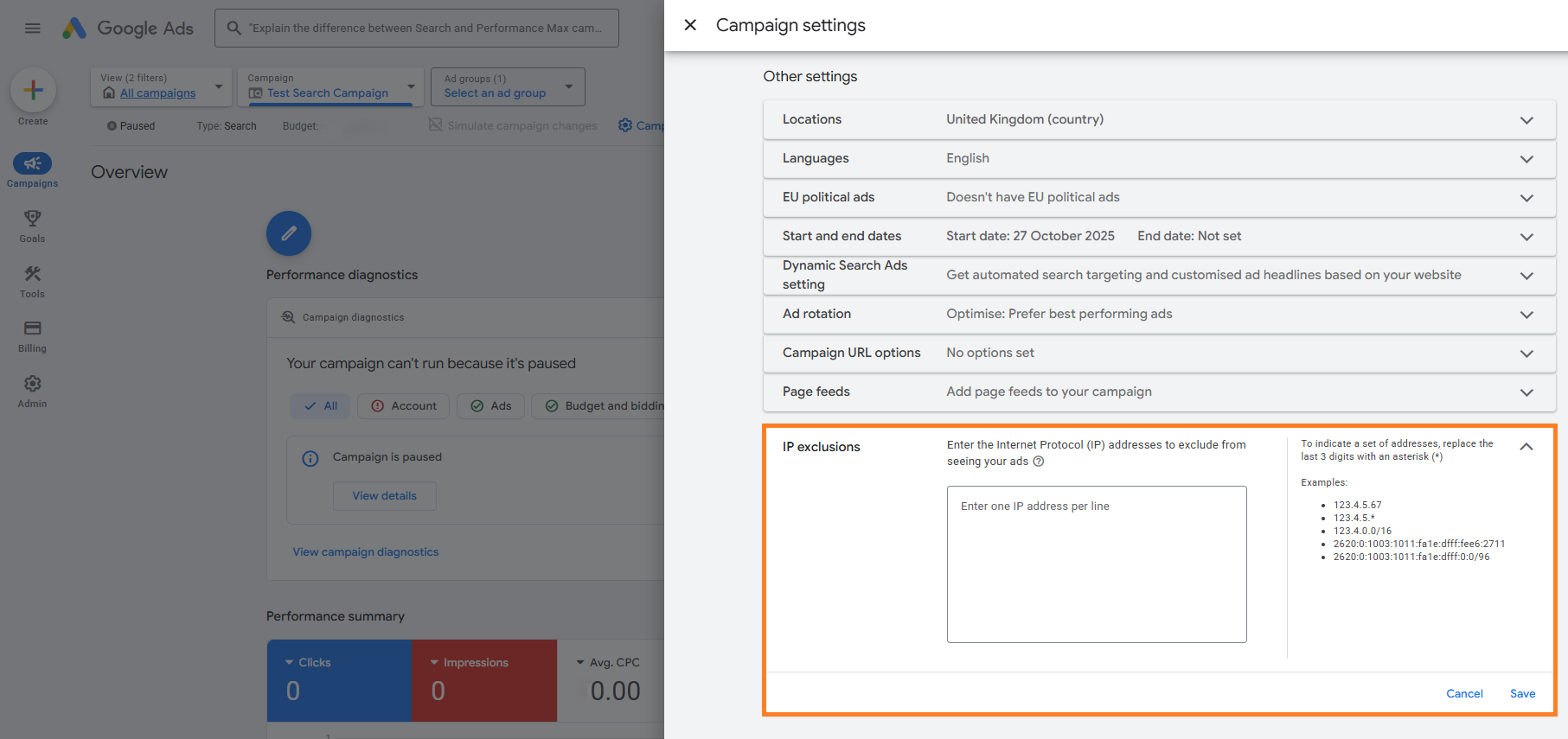
- Go to Campaigns and select a specific campaign.
- Click Campaign Settings > Other settings.
- Expand IP exclusions and paste your list.
- Note: You can exclude up to 500 IP addresses per campaign.
How to Find a Competitor’s IP Address
Google Ads does not provide user IP addresses in its reports for privacy reasons. To get them, your readers will need to use one of these three 2026 methods:
- Method A: Email Headers: If you’ve received an email from a competitor, you can often find their office IP by viewing the “Original” or “Raw” email header and searching for the Received: from field.
- Method B: Server Log Files: Your web developer can check your website’s server logs for visitors who have “unusually high” activity but never convert.
- Method C: Third-Party Software (Recommended for 2026): Tools like ClickCease, Fraud Blocker, or Lunio automatically detect suspicious behavior, identify the competitor’s IP, and use Google’s API to block them in real-time.
“Fraud Protection” Cheat Sheet
Strategy | When to Use | Limitation |
Manual Blocking | You have a specific IP (e.g., your own office). | High manual effort; IPs change frequently. |
Wildcard Blocking | You want to block an entire company/range. | Risk of blocking “innocent” potential customers. |
Automated Software | You are in a high-CPC, competitive industry. | Costs a monthly subscription fee. |
Geo-Exclusion | The competitor is in a specific city you don’t serve. | Blocks everyone in that city, not just the competitor. |
The “Mobile” Loophole
Important Note: IP blocking is effective against office desktop users. However, it is largely ineffective against mobile users because mobile IP addresses change every time a phone switches cell towers or moves from 5G to Wi-Fi. For mobile-heavy industries, focus on Audience Exclusions instead of IP blocking.

 Salesforce

