


In the current Google Ads interface, segmenting by network is essential to understanding whether your budget is being spent on high-intent Search queries or more “passive” channels like Display and YouTube.
How to Segment Performance by Network
For traditional Search, Display, or Video campaigns, follow these steps:
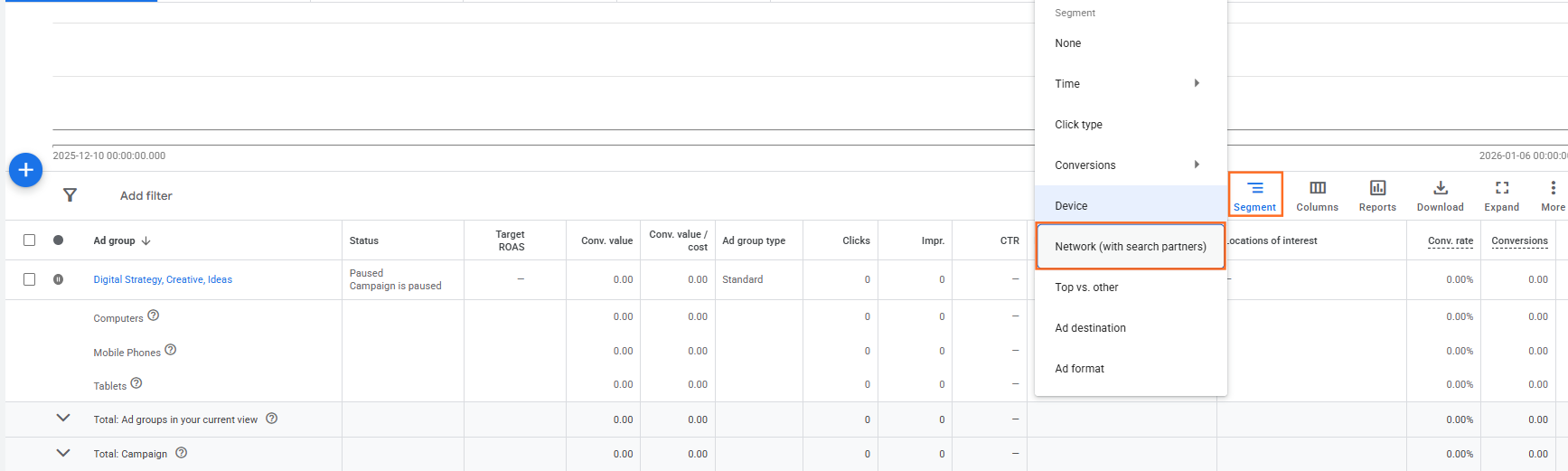
- Navigate to Campaigns: Go to the Campaigns tab in the left-hand menu.
- Click Segment: Locate the Segment icon (three horizontal bars) above the statistics table.
- Select Network: Choose Network (with search partners).
What the Rows Mean:
- Google Search: Clicks from the main Google search results page.
- Search Partners: Smaller sites that use Google’s search engine (like Ask.com or local search sites).
- Google Display Network: Impressions from websites, apps, and Gmail.
- Cross-network: This row appears when a single campaign (like PMax) spans multiple channels.
Segmenting Performance Max (PMax) by Network
Performance Max is often called a “Black Box” because it doesn’t allow the standard “Network” segment in the main table. However, Google recently released a dedicated report for this.
The Channel Performance Report
- Go to the Insights and reports dropdown in the left menu.
- Select Channel performance.
- View the Breakdown: This report provides a table showing your spend, conversions, and ROAS across:
- Search
- YouTube
- Display
- Discover & Gmail
Advanced Network Analysis via Report Editor
If you need a more granular view (e.g., comparing network performance across all campaigns at once), use the Report Editor.
- Click Campaigns > Insights and reports > Report editor.
- Click Create Report
- Create a Custom Table by clicking the Table and choose what your table should include.
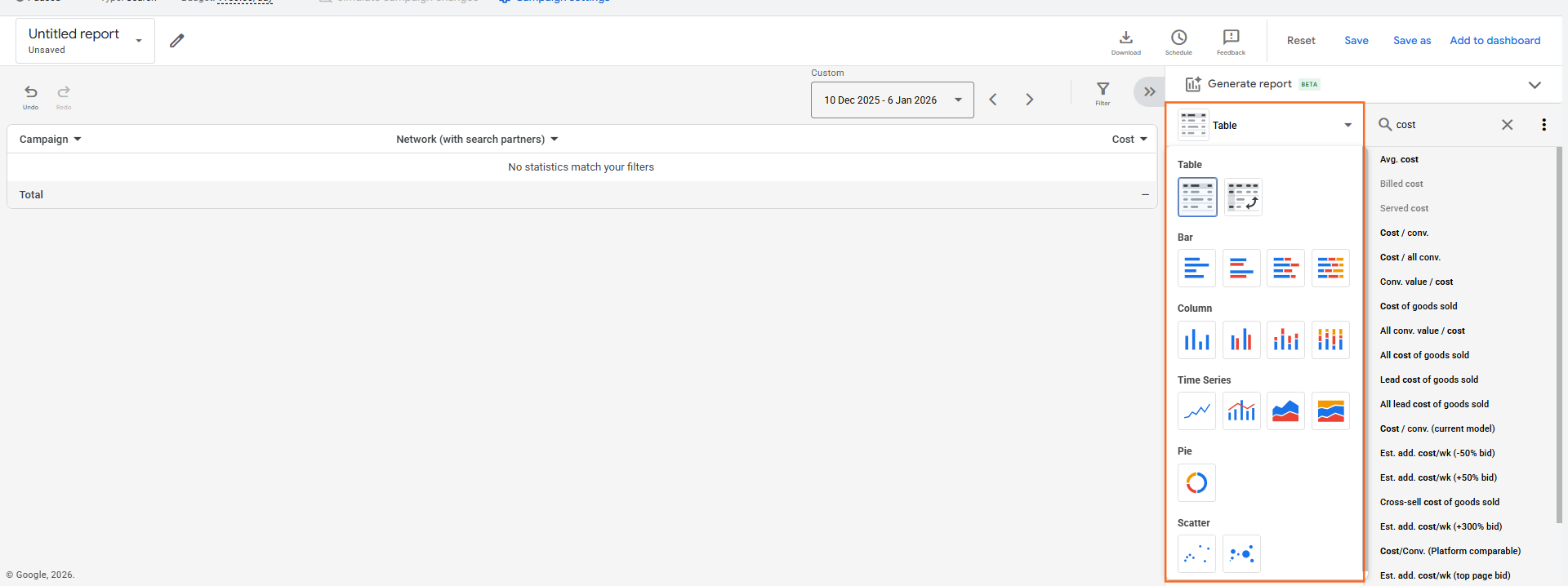
- Add Rows: Drag in Campaign and Network (with search partners).
- Add Columns: Drag in Cost, Conversions, and Conv. Value / Cost (ROAS).
- Filter: You can filter this report to only show specific campaign types if the data feels too cluttered.
Strategic Actions Based on Data
If Network Data shows… | The Action to Take is… |
High Spend on Search Partners with 0 Sales | Go to Campaign Settings and uncheck “Include Google search partners.” |
PMax spending 80% on Display/Video | Check your Asset Group. If your videos are low quality, the AI might be finding “cheap” but low-converting impressions. |
High “Cross-network” Spend | This is the AI “remarketing” to users across multiple platforms. Ensure your Audience Signals are tightly defined. |
Pro-Tip: The “Search Partner” Check
Always audit your Search Partners’ performance monthly. While they often have a lower CPC, their conversion rate is typically 30–50% lower than main Google Search. If your blended CPA is too high, turning off Search Partners is the quickest way to stabilize it.

 Salesforce

