


The most accurate data comes directly from Google itself. Google Search Console (GSC) tells you exactly where your pages appeared in search results for real users.
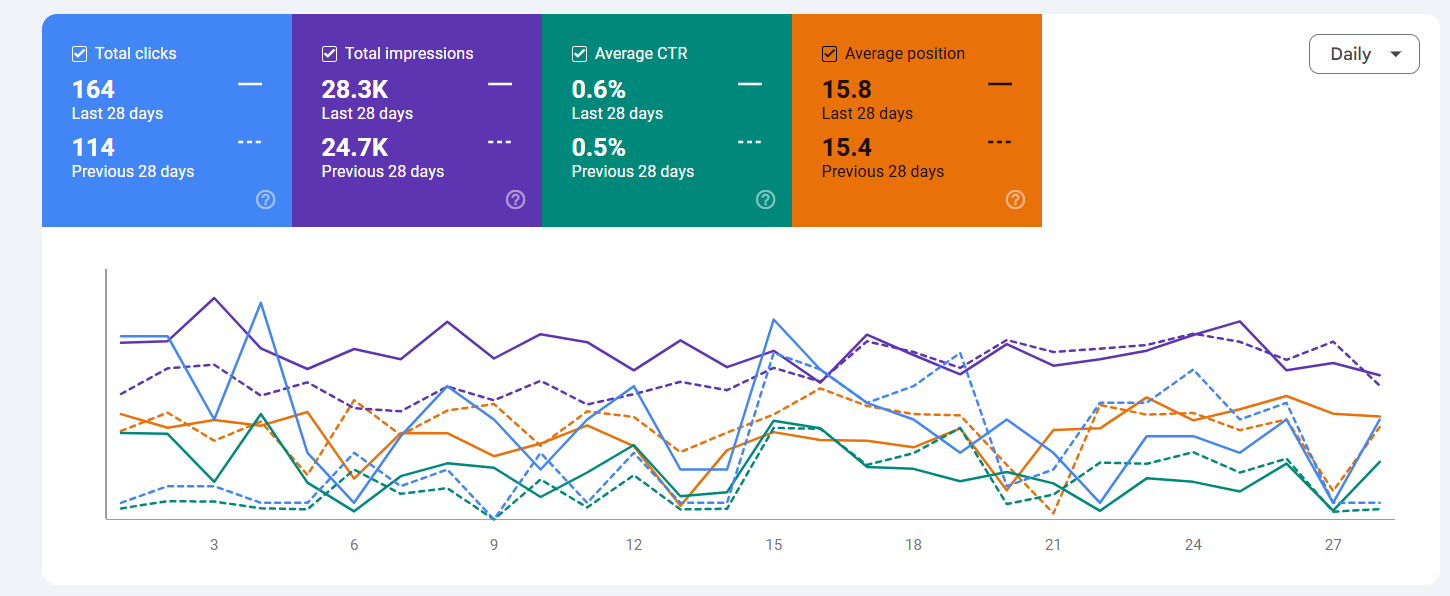
- Navigate: Go to Performance > Search results.
- Enable Metric: Click the Average position box above the chart (it turns orange).
- Filter: Click Query and choose “specific query” type a specific keyword (e.g., “emergency plumber”).
- Analyze: Look at the “Average Position” column in the table below.
- Note: This is an average. If you ranked #1 in London but #50 in Manchester, GSC might show your position as #25.
- Note: This is an average. If you ranked #1 in London but #50 in Manchester, GSC might show your position as #25.
Third-Party Rank Trackers (Precision Tracking)
Because GSC only shows average data, professional SEOs use dedicated rank tracking tools like Semrush, Ahrefs, or SE Ranking. These tools check your exact position every 24 hours.
- Set Up Project: Enter your domain and list of target keywords.
- Select Location: Be specific. Choose “United Kingdom” or even a specific city like “Birmingham.”
- Track Features: These tools also tell you if you own the Featured Snippet, Local Pack, or Image Pack.
- Alerts: Set up email notifications for major drops (e.g., “Keyword X dropped 5 positions”).
Local Rank Tracking (The “Map Pack”)
For local businesses, standard rank tracking is misleading. You might rank #1 for a user standing 1 mile away, but #10 for a user 5 miles away.
Use a “Grid Tracker” tool like BrightLocal or Local Falcon.
- Visualize: These tools overlay a grid on a map of your city.
- Scan: They simulate a search from every point on that grid.
- Result: You get a “Heatmap” showing exactly where your rankings drop off (e.g., “You are #1 in the city centre but invisible in the suburbs”).
“Share of Voice” (The Better Metric)
Obsessing over a single keyword ranking (e.g., “plumber”) is outdated. Share of Voice (SOV) measures how visible you are across your entire topic compared to competitors.
- Group Keywords: Tag your keywords by topic (e.g., “Boiler Repair,” “Emergency Plumbing,” “Bathroom Install”).
- Calculate Visibility: Your rank tracker will calculate a % score based on search volume and position.
- Example: “You have 65% Share of Voice for ‘Boiler Repair’ in Bristol.”
- Compare: If your SOV goes up, you are winning market share, even if individual keyword rankings fluctuate.

 Salesforce

