


Google Search Console groups your URLs into “Poor”, “Needs Improvement”, or “Good” based on these metrics.
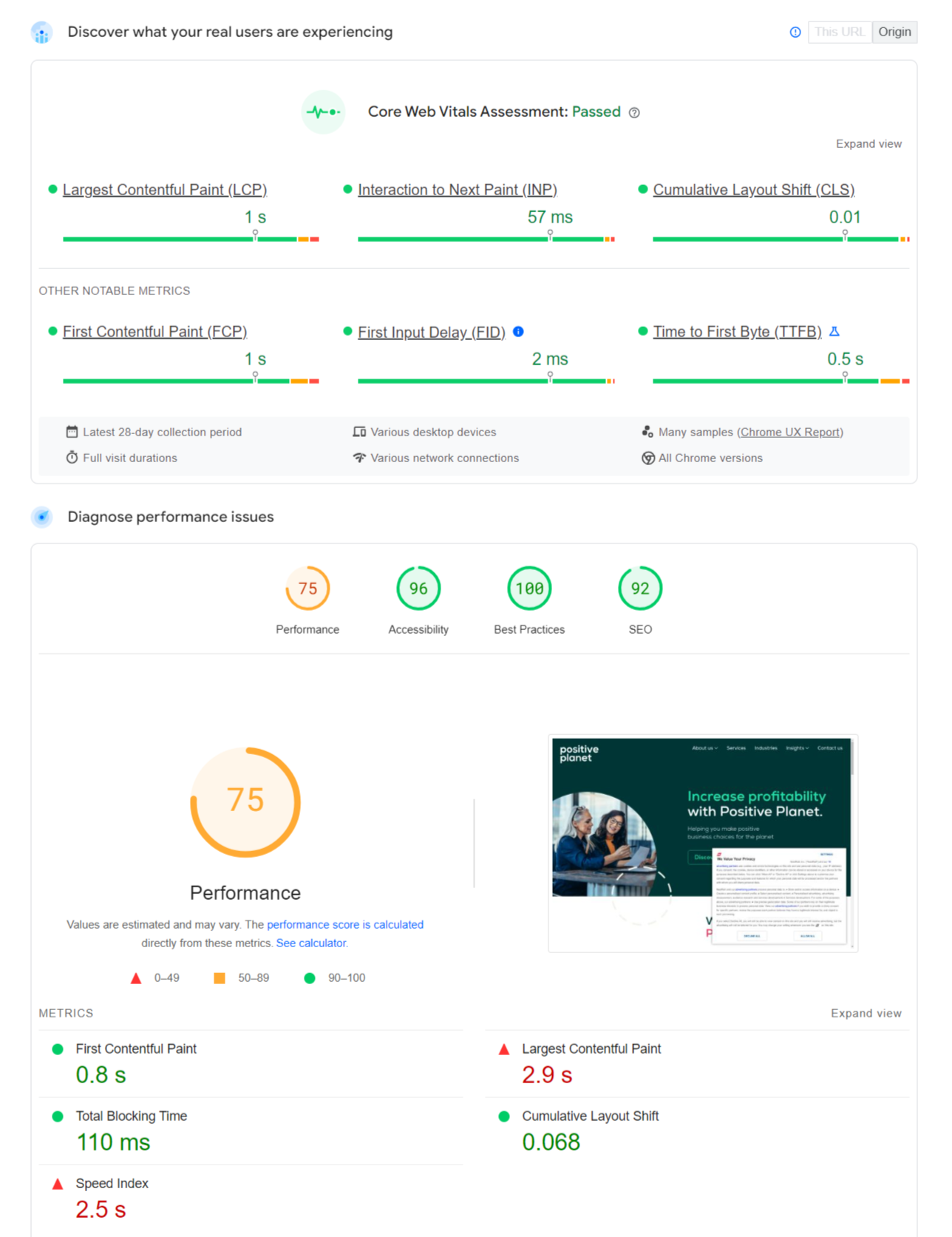
- LCP (Largest Contentful Paint): Measures Loading Speed. It tracks how long it takes for the largest element (usually the main image or headline) to become visible. Target: Under 2.5 seconds.
- CLS (Cumulative Layout Shift): Measures Visual Stability. It tracks how much the page layout moves around while loading. Target: Under 0.1.
1. How to Fix LCP (The Speed Issue)
LCP issues almost always stem from the “Hero” section at the top of your page.
Step A: Identify the LCP Element Go to PageSpeed Insights and run a test. Scroll down to the “Diagnostics” section and look for the “Largest Contentful Paint element” tab. It will show you exactly which image or text block is triggering the score.
Step B: Optimise the “Hero” Image If your LCP element is an image (which is common), follow these three rules:
- Do Not Lazy Load It: This is the most common mistake. Lazy loading script delays the image. Ensure your main banner image has the HTML attribute loading=”eager” or simply no loading attribute at all.
- Preload It: Tell the browser to fetch this image first. Add this code to your website header: <link rel=”preload” as=”image” href=”your-hero-image.jpg”>
- Compress It: Ensure this specific image is WebP format and under 100KB.
Step C: Server Response Time If your LCP is text (like an H1 tag) but it is still slow, your server is taking too long to reply.
- Upgrade your hosting or install a caching plugin (like WP Rocket) to serve a static HTML version of the page instantly.
2. How to Fix CLS (The Stability Issue)
CLS happens when an element loads late and pushes everything else down. The user tries to click a button, but the page jumps, and they click an ad instead.
Step A: Add Dimensions to Images Browsers do not know how much space an image needs until it downloads. While it downloads, the browser collapses the space to 0px. When the image arrives, it expands, pushing content down.
- Always include width and height attributes in your image HTML.
- Bad: <img src=”logo.png”>
- Good: <img src=”logo.png” width=”200″ height=”50″>
- This tells the browser to reserve a 200x50px white box before the image arrives, preventing the shift.
Step B: Reserve Space for Ads/Embeds If you have a Google Ad or a dynamic map that loads in the middle of an article, it often causes a massive shift.
- Wrap the ad in a <div> container with a minimum height.
- CSS: .ad-slot { min-height: 250px; }
- The browser draws a blank box. When the ad loads, it fills the box without moving the surrounding text.
Step C: Manage Web Fonts Sometimes text is invisible while the custom font loads, then it “pops” in and changes the line height, shifting the layout (FOUT – Flash of Unstyled Text).
- Use font-display: swap; in your CSS. This forces the browser to show a fallback font immediately so the text is visible and stable.
The Business Impact of CLS
Layout shifts are not just annoying; they destroy conversion rates.
If your “Buy Now” button jumps away under a user’s thumb, they don’t just get annoyed, they leave. Fixing CLS is often the quickest way to improve user engagement metrics.

 Salesforce

