


Google Business Profile is a visual platform. Before a customer reads your reviews or checks your opening hours, they often look at your photos to gauge the quality and legitimacy of your business. A profile without photos looks “closed” or neglected.
Follow this process to upload, categorise, and manage your business imagery.
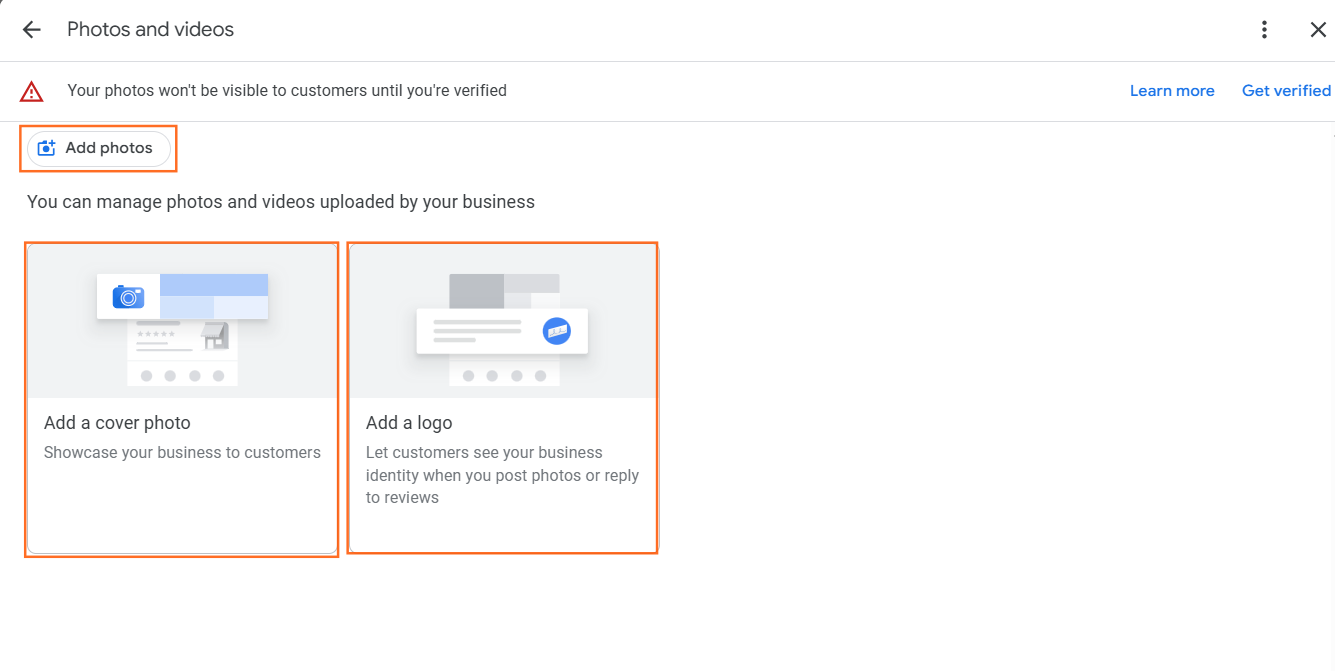
1. The Upload Process (Desktop & Mobile)
Google has retired the old “Google My Business” app. You now manage your profile directly through Google Search or Google Maps.
Method A: via Google Search (Desktop)
- Search: Go to Google and search for “my business” (or your exact business name).
- Dashboard: You will see a management dashboard above the search results. Click “Add photo”.
- Select Type: Choose from Photo, Logo, or Cover photo.
- Upload: Drag and drop your image files.
Method B: via Google Maps (Mobile)
- Open App: Launch the Google Maps app on your phone.
- Tap Icon: Tap your profile icon in the top right corner and select “Your Business Profile”.
- Tap “Add photo”: Select the camera icon.
- Shoot or Select: You can take a new photo instantly or select one from your camera roll.
2. The Three Critical Photo Categories
Google asks you to categorise images to help specific algorithms understand your business.
- The Logo: This is your digital avatar. It appears next to your reviews and responses. It must be square, clear, and legible at small sizes.
- The Cover Photo: This is the “hero” image that should appear at the top of your listing (though Google sometimes overrides this with a popular customer photo). Use a high-quality shot of your storefront, team, or branded vehicle.
- Business Photos: These are general images. You should aim for a mix of:
- Exterior: Helps customers find you (show signage and the street entrance).
- Interior: Shows the “vibe” (seating, decor, waiting area).
- Team: Builds trust (smiling staff members in uniform).
3. Technical Requirements
Ensure your photos meet Google’s quality standards, or they may be rejected by the AI filter.
- Format: JPG or PNG.
- Size: Between 10 KB and 5 MB.
- Resolution: Minimum 720 px tall, 720 px wide.
- No Filters: Do not use heavy filters or excessive text overlays. Google prefers “natural” representations of the real world.
Do Photos Impact Rankings?
Yes. There is a strong correlation between the number of photos a business has and how often they appear in search results.
- “Businesses with photos receive 42% more requests for driving directions to their location and 35% more clicks through to their websites than businesses that don’t have photos.”
- Source: Official Google Business Profile Help Documentation.
- The Ranking Correlation: A study by BrightLocal (a leading local SEO software company) found that businesses ranking in the top search positions have significantly more photos (averaging over 100) than those ranking lower down.
- Why: This suggests that Google views an active photo gallery as a signal that the business is alive, active, and trustworthy.

 Salesforce

