


Claiming your Google Business Profile (GBP) formerly Google My Business is essential for controlling how your business appears on Google Search and Maps. This allows you to update your hours, respond to reviews, post updates, and track performance.
Step 1: Find and Select Your Business
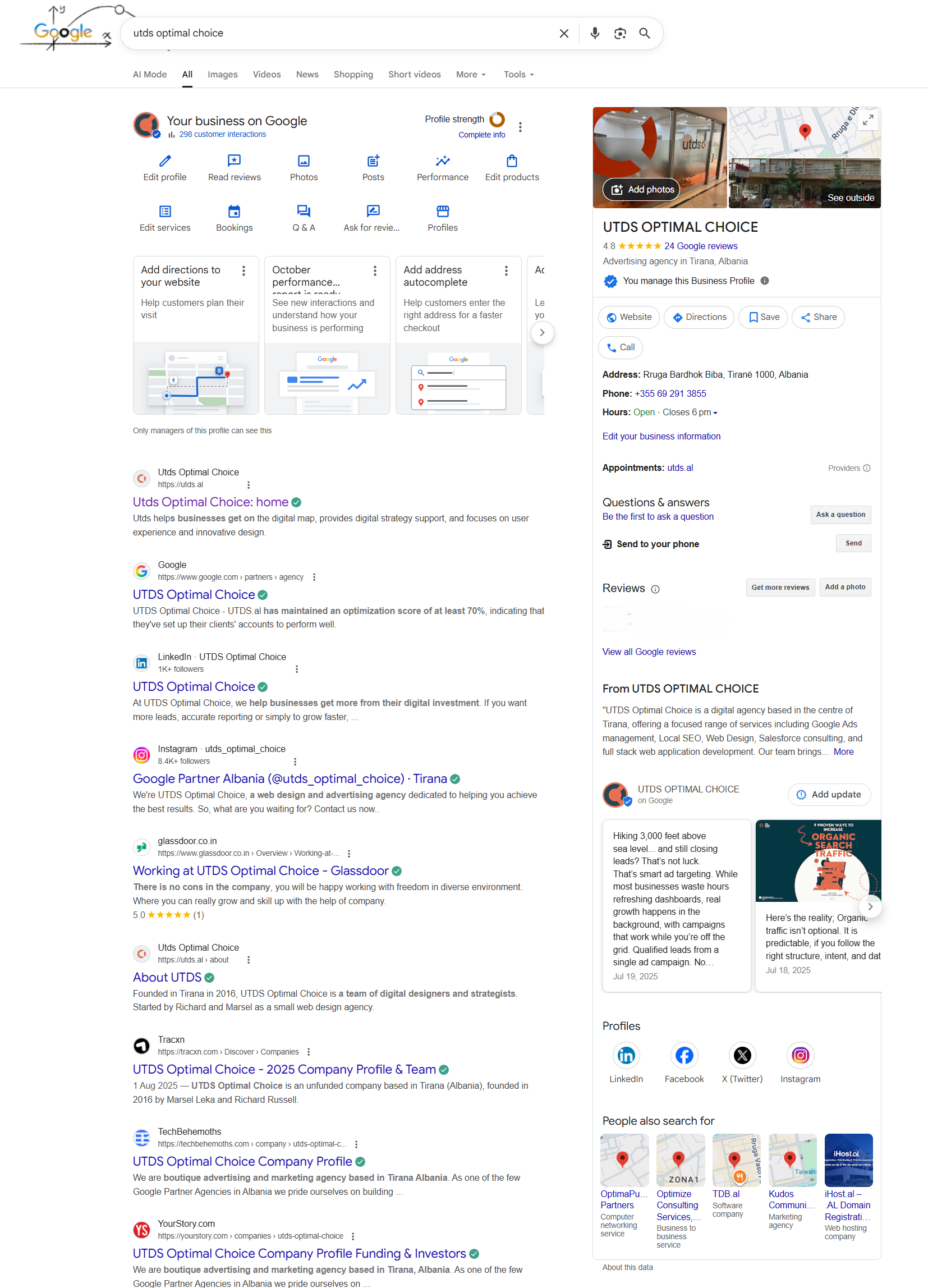
- Search for your business: Go to Google Search and type your business name and city (e.g., “UTDS Optimal Choice”).
- Look for the Knowledge Panel: If your business is already listed, a Knowledge Panel (a large box with information) will appear on the right side of the search results (on desktop).
- Click “Own this business?”: If the business has not been claimed, you will see a link near the name that says, “Own this business?” or “Manage this profile.” Click on it.
- Agree and Continue: You will be prompted to confirm the information and agree to the terms of service, then click Continue.
Step 2: Choose a Verification Method
Google needs to confirm that you are the legitimate owner or manager of the business. The available methods depend on the type of business and Google’s data, but usually include one or more of the following:
Method A: Postcard by Mail (Most Common)
- Process: This is the most traditional method. Google sends a physical postcard containing a unique verification code to the physical address listed for your business.
- Action:
- Confirm the mailing address is correct.
- Click “Mail”.
- Wait 5–14 days for the postcard to arrive.
- Once received, sign in to your Google Business Profile manager and enter the 5-digit verification code on the card.
Method B: Phone or Text (Fastest)
- Process: If Google has a verified phone number for your business, this option may be offered. You will receive an automated call or a text message with the verification code.
- Action:
- Select either “Call” or “Text.”
- Confirm the phone number displayed is correct.
- Receive the code and enter it immediately into the verification screen.
Method C: Email (If Available)
- Process: If your business website is associated with an email address at your domain (e.g., contact@utds.al), this option may appear.
- Action:
- Confirm the email address displayed.
- Google will send a code to that inbox.
- Retrieve the code and enter it to verify.
Step 3: Complete Your Profile
Once the code is entered and the profile is verified, you have full control.
- Complete All Fields: Immediately fill out all sections, including:
- Hours of operation
- Category (the most relevant one, e.g., “Plumber”)
- Services offered
- A high-quality description
- Photos of your work, exterior, and interior (if applicable)

 Salesforce

