


In Salesforce, “Pipeline Stages” are controlled by the Stage picklist field on the Opportunity object. Changing these stages involves updating the master list of values and then ensuring those changes are reflected in your Sales Processes.
Step 1: Update the Stage Picklist Values
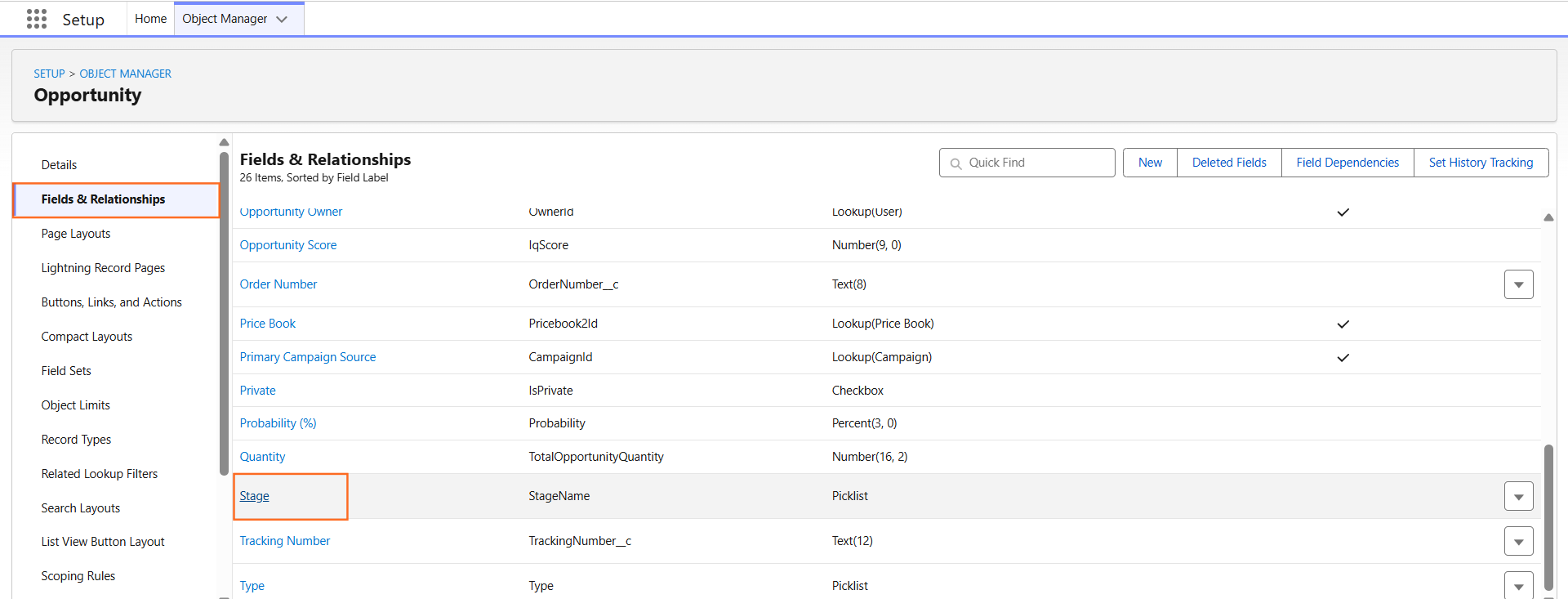
- Navigate to Setup > Object Manager.
- Select Opportunity.
- Click Fields & Relationships.
- Find and click on Stage.
- Scroll down to the Opportunity Stage Picklist Values related list.
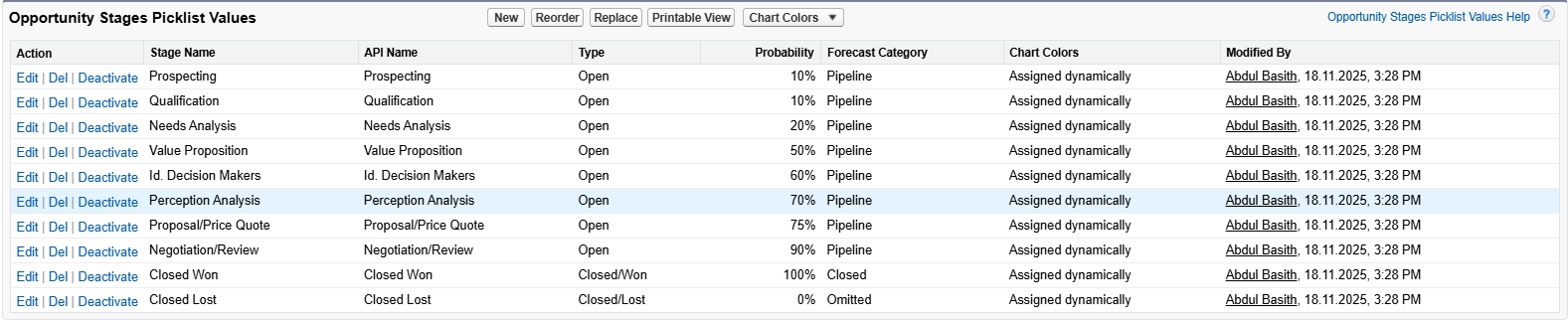
- Here you can:
- Add: Create a new stage.
- Edit: Change the name, probability, or “Type” (Open, Closed/Won, or Closed/Lost) of an existing stage.
- Reorder: Change the sequence in which stages appear to the user.
- Delete: Remove a stage (Salesforce will ask you to map existing records to a different stage).
Step 2: Update the Sales Process
If your organization uses Sales Processes, simply adding a picklist value isn’t enough; you must tell Salesforce which process should use the new stage.
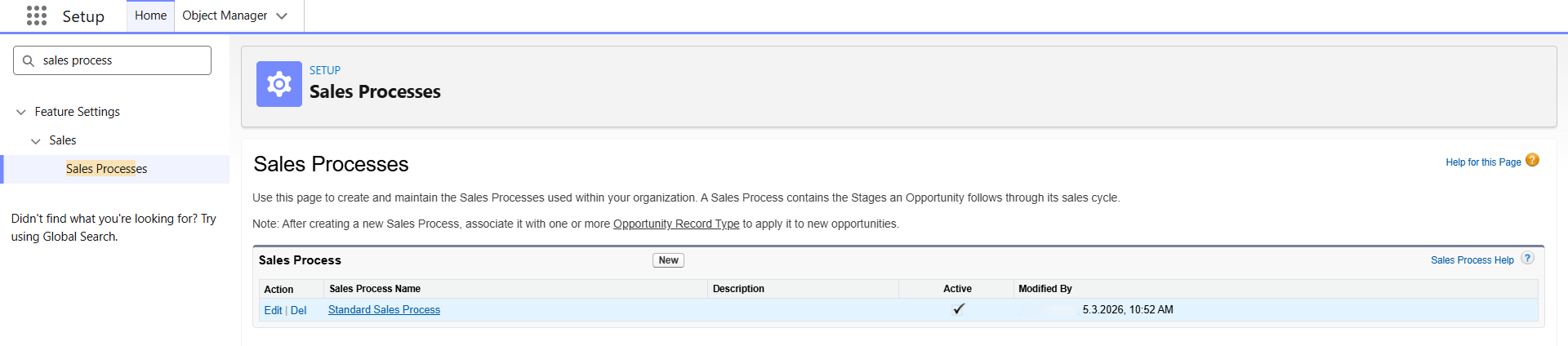
- Navigate to Setup.
- In the Quick Find box, type Sales Processes.
- Click on the name of the process you want to modify (e.g., Retail Sales or Enterprise Sales).
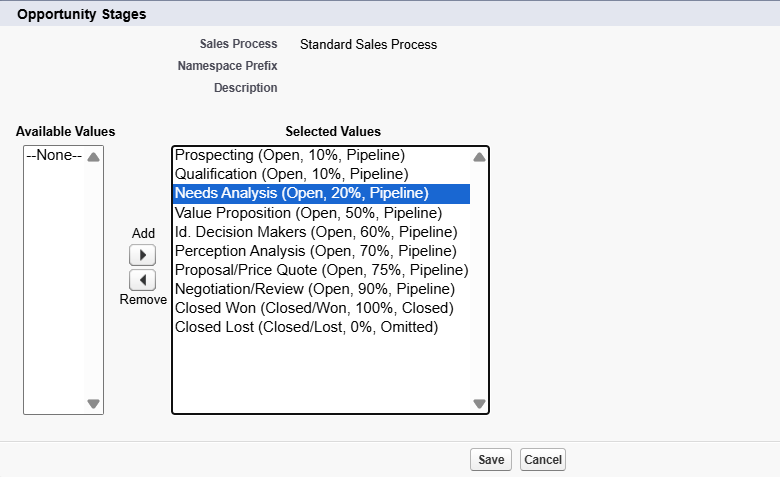
- Move your new stage from the Available Values list to the Selected Values list.
- Click Save.
Step 3: Verification and Impact
Once you change the stages, several other features in your guide will be affected:
Feature | Impact of Stage Change |
Path | The Path automatically updates to show the new stages. |
Kanban View | The columns in the Kanban board will change to match the new stages. |
Forecasts | Ensure the “Forecast Category” assigned to the new stage is correct so reports stay accurate. |
Validation Rules | Check if any existing rules reference the old stage names, as these will break. |
Step 4: Technical Tip: Probability and Category
When adding a new stage, you must define two critical background values:
- Probability: The likelihood of closing the deal (e.g., Qualification might be 10%, while Negotiation is 80%).
- Forecast Category: Maps the stage to pipeline reporting buckets like Pipeline, Best Case, Commit, or Closed.

 Salesforce

