


To view login history in Salesforce, you can either check a specific user’s record for their recent attempts or download a comprehensive log for the entire organization.
Step 1: Viewing History for a Single User
This is the fastest way to troubleshoot why a specific person cannot log in.
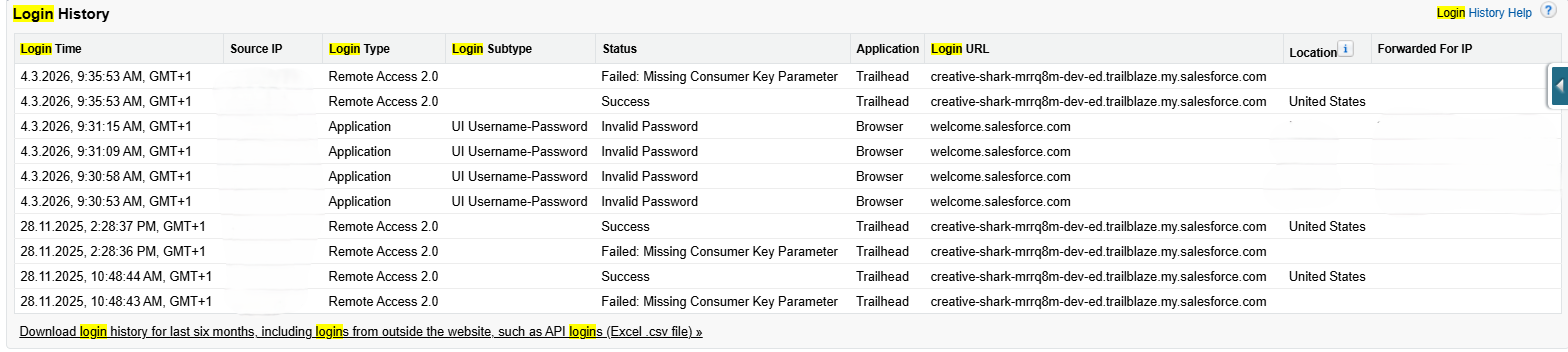
- Navigate to Setup > Users > Users.
- Click the Name of the user you wish to investigate.
- Scroll down to the Login History related list.
- Review the last 6 months of login attempts.
Step 2: Downloading Organization-Wide Login History
If you need to audit login activity for all users or view data older than what is shown on the user record, use the bulk tool.
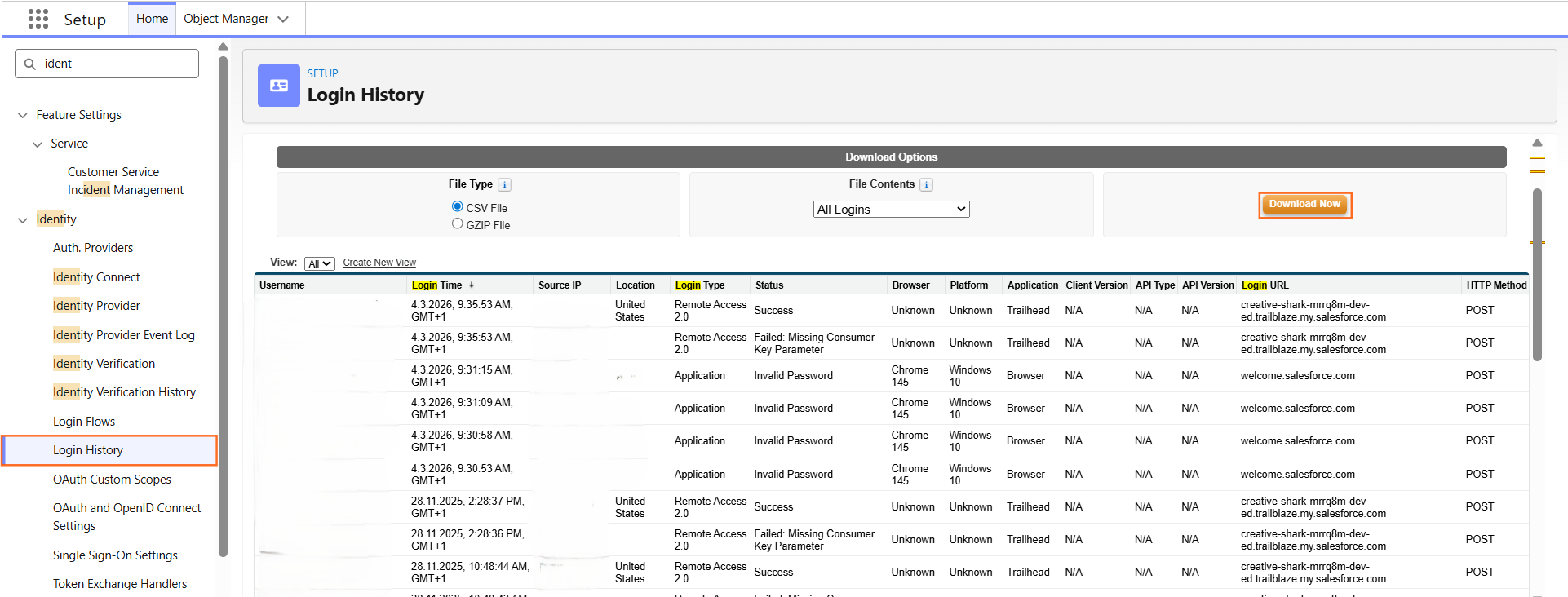
- Navigate to Setup > Identity > Login History.
- To view recent activity immediately, select a view from the dropdown (e.g., All Logins).
- To download the data for analysis in Excel, click the Download button.
- File Contents: You can choose to download the last 6 months of data as a .csv or .gzip file.
- Click Save.
Step 3: Understanding the "Status" Column
In your technical guide, it is helpful to define what common login status messages actually mean for troubleshooting:
Status Message | Meaning | Recommended Action |
Success | The user logged in successfully. | None. |
Invalid Password | The user entered the wrong password. | Suggest a password reset. |
User is Locked | Too many failed attempts have locked the account. | Click Unlock on the User Detail page. |
Restricted IP | The user is trying to log in from an unauthorized network. | Check Login IP Ranges on the Profile. |
Invalid Choice | Usually related to an expired or incorrect MFA/Verification code. | Ensure the user is synced with Salesforce Authenticator. |
Step 4: Technical Specifications
- Data Retention: Salesforce stores login history for the past 6 months.
- Tracking: This includes logins via the browser, Salesforce Mobile, API, and Third-Party Integrations.
- Login Type: The history will specify if the user used SAML (Single Sign-On), Application (Standard login), or OAuth (Connected Apps).

 Salesforce

